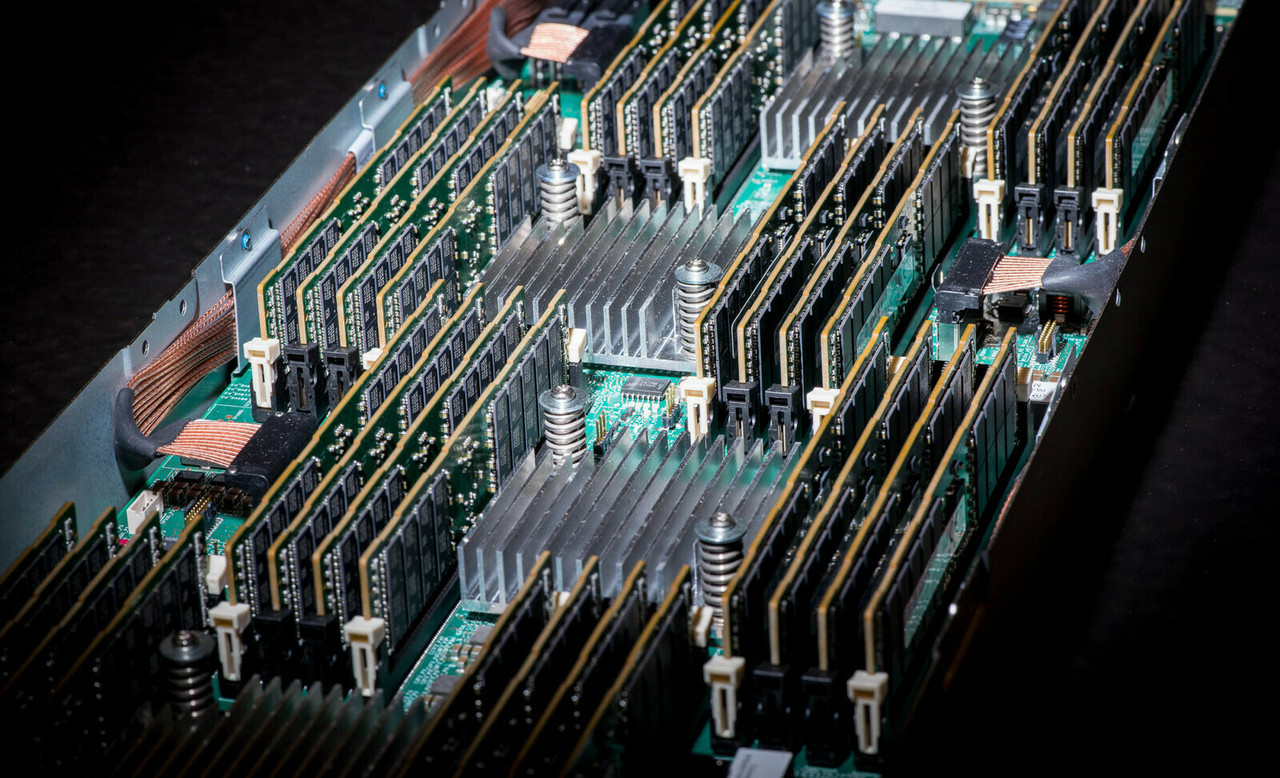
HPE ProLiant DL380 Gen11 Memory
Upgrade your HPE ProLiant DL380 Gen11 with genuine HPE DDR5 Smart Memory, in stock new and refurbished and tested before shipping. Engineered for demanding enterprise workloads, these modules deliver the speed, capacity, and reliability your applications depend on — with guaranteed compatibility.
DL380 Gen11 Memory Specifications
- Memory type: DDR5 EC8 Registered (RDIMM) — the DL380 Gen11 does not support LRDIMM, UDIMM, or non-ECC memory
- Speeds: up to 4800 MT/s with 4th Gen Intel Xeon and up to 5600 MT/s with 5th Gen Intel Xeon Scalable processors (speed is processor-dependent)
- Slots: 32 DIMM slots — 16 per processor, 8 channels per CPU, 2 DIMMs per channel; 24SFF chassis support a maximum of 16 DIMMs
- Capacities: 16GB, 32GB, 64GB, 96GB, 128GB, and 256GB 3DS modules, each offered in DDR5-4800 and DDR5-5600 speed grades
- Maximum memory: up to 8TB — 32 × 256GB (8SFF/16SFF chassis)
Before you order, match your memory to your CPU. The DL380 Gen11 runs either 4th Gen Intel Xeon (DDR5-4800) or 5th Gen Intel Xeon (DDR5-5600) processors, and your CPU sets the maximum speed. Because the server clocks all memory to the slowest module installed, a single DDR5-4800 module caps an entire 5th Gen server at 4800 MT/s — buy the speed grade that matches your processor generation.
How much memory can the DL380 Gen11 hold?
| Configuration | Total capacity | Notes |
|---|---|---|
| 8 × 32GB (2 CPUs) | 256GB | Entry build, one bank per processor |
| 16 × 64GB (2 CPUs) | 1TB | Full speed at 1 DIMM per channel |
| 32 × 64GB (2 CPUs, all slots) | 2TB | Slots full — 2DPC speed step-down applies |
| 32 × 128GB (2 CPUs, all slots) | 4TB | Large virtualization and database builds |
| 32 × 256GB 3DS (2 CPUs, all slots) | 8TB | Platform maximum (8SFF/16SFF chassis) |
The 64GB kit is the sweet spot for most builds — full-speed dual-rank modules at the best cost per gigabyte. Go to 128GB or 256GB 3DS modules when the workload genuinely needs 4–8TB, and remember the server clocks all memory to the slowest module installed.
Choosing the Right DL380 Gen11 Memory
- Match the speed grade to your CPU generation: DDR5-4800 RDIMMs for a 4th Gen Intel Xeon server, DDR5-5600 for a 5th Gen server. Both physically fit either system, but mixing speeds — or pairing DDR5-4800 with a 5th Gen CPU — caps the whole server at the lower rate.
- Populate both processors identically and in even quantities; speed also steps down when both slots in a channel are filled (for example, 5600 drops to 4800 MT/s at 2 DIMMs per channel).
- Don't mix capacities or ranks within a bank, and keep kits matched across channels.
- Order the stand-alone SKU type: field upgrades and spares use -B21 part numbers (what we stock); -F21 SKUs are factory-integration only.
- Background reading: the DL380 Gen11's memory capabilities, maximum memory configurations for Gen11 ProLiants, and memory rank in HPE servers.
Complete Your DL380 Gen11 Build
Pair memory with DL380 Gen11 processors, drives, storage controllers, networking adapters, and power supplies, or start from the full DL380 Gen11 parts page. Other generations: DL380 Gen10 memory and DL380 Gen12 memory. You can also browse all Gen11 server memory or parts by server model.
DL380 Gen11 Memory FAQ
What type of memory does the HPE DL380 Gen11 use?
DDR5 EC8 Registered (RDIMM) memory only - LRDIMM and unbuffered modules are not supported. The same RDIMM type is used with both 4th and 5th Gen Intel Xeon CPUs.
How much RAM can the DL380 Gen11 hold?
Up to 8TB total, using 32 x 256GB DDR5 RDIMMs (16 DIMM slots per processor) on 8SFF and 16SFF chassis. 24SFF configurations support a maximum of 16 DIMMs.
What is the maximum memory speed of the DL380 Gen11?
It depends on your processor: 4th Gen Intel Xeon CPUs support DDR5-4800, and 5th Gen Intel Xeon CPUs support DDR5-5600. Speed also steps down when both slots in a channel are filled (for example, 5600 drops to 4800 at 2 DIMMs per channel), and some lower-end CPU models run below the generation's maximum.
Should I buy DDR5-4800 or DDR5-5600 memory?
Match the speed grade to your CPU generation - DDR5-4800 RDIMMs for a 4th Gen Intel Xeon server, or DDR5-5600 RDIMMs for a 5th Gen server. Both are the same DDR5 EC8 Registered type and will physically fit either system, but the server runs every module at the slowest speed installed, so mixing speeds - or pairing DDR5-4800 with a 5th Gen CPU - limits the entire server to the lower rate. Check your processor model in HPE iLO if you're not sure which generation you have.
Do DL380 Gen11 DIMMs need to be installed in matched sets?
Yes, in practice. Install even quantities, keep both processors' populations identical, and use the same capacity and rank within a bank - unbalanced layouts cost bandwidth and can trigger speed step-downs.
Can I use DL380 Gen12 memory in the DL380 Gen11?
No - Gen12 lists DDR5-6400 kits while the Gen11 uses DDR5-4800 and DDR5-5600 part numbers. Always match the exact HPE part numbers listed in the Gen11 QuickSpecs for your CPU generation.
✅ Looking for a specific DL380 Gen11 memory module? Browse our full selection below.
Browse all models

Why Global One?
- Trusted by thousands. Over 36,000 customers in 100+ countries trust Global One Technology to deliver mission-critical HP Enterprise hardware - including Fortune 500 businesses, schools, hospitals, and federal, state, and local goverment agencies.
- HPE is our specialty! We only sell genuine HP Enterprise parts.
- EASY ordering process. Purchase online now with credit card or PayPal!
- FAST shipping. Global One Technology ships orders received by 4pm ET the same day and offers NEXT DAY delivery to US customers.



