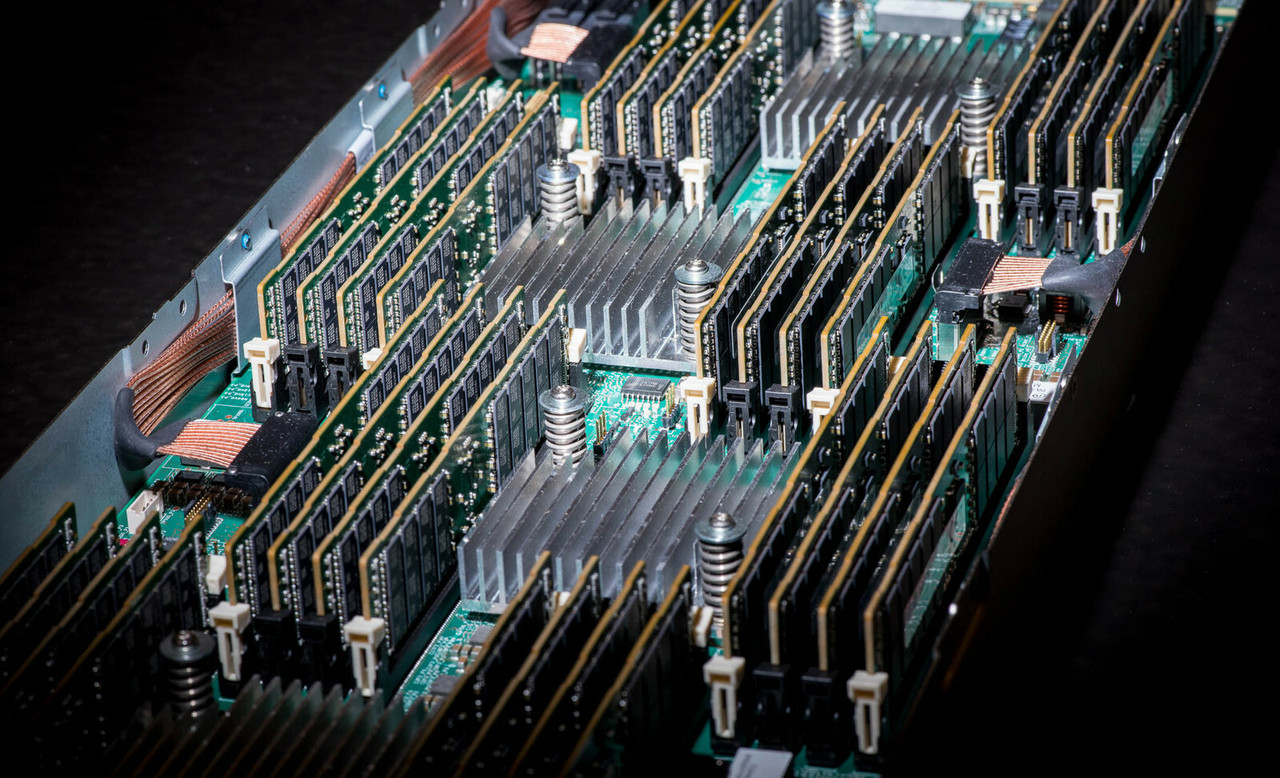
HPE ProLiant DL380 Gen10 Memory
Upgrade your HPE ProLiant DL380 Gen10 with genuine HPE DDR4 Smart Memory, in stock new and refurbished and tested before shipping. With 24 DIMM slots and deep support on the refurb market, memory is the highest-value upgrade this platform takes.
DL380 Gen10 Memory Specifications
- Memory type: HPE DDR4 Smart Memory — Registered (RDIMM) and Load Reduced (LRDIMM)
- Slots: 24 DIMM slots — 12 per processor, 6 channels per CPU, 2 DIMMs per channel
- Speed: up to 2666 MT/s with 1st Gen Xeon Scalable, up to 2933 MT/s with 2nd Gen — the CPU sets the ceiling
- Maximum capacity: 1.54TB with RDIMMs (24 × 64GB) or 3TB with LRDIMMs (24 × 128GB)
- Intel Optane Persistent Memory: up to 6TB (12 × 512GB PMem modules mixed with DRAM) — supported only with select 2nd Gen Xeon Scalable CPUs
Match the speed to your CPU generation. 2nd Gen Xeon Scalable runs DDR4-2933, 1st Gen runs DDR4-2666 — the server clocks all memory to the slowest applicable speed, and RDIMMs and LRDIMMs cannot be mixed in one server.
How much memory can the DL380 Gen10 hold?
| Configuration | Total capacity | Notes |
|---|---|---|
| 8 × 16GB RDIMM (2 CPUs) | 128GB | Entry build |
| 12 × 32GB RDIMM (2 CPUs) | 384GB | Balanced 1 DIMM per channel |
| 24 × 32GB RDIMM (2 CPUs, all slots) | 768GB | The mainstream virtualization build |
| 24 × 64GB RDIMM (2 CPUs, all slots) | 1.54TB | RDIMM maximum |
| 24 × 128GB LRDIMM (2 CPUs, all slots) | 3TB | LRDIMM maximum |
The 32GB dual-rank RDIMM is the sweet spot on this platform — abundant refurb supply at the best cost per gigabyte. Our guide to maximum memory for DL380 Gen10 servers walks the full configuration math.
Choosing the Right DL380 Gen10 Memory
- Match the speed to your CPU generation: 2933 MT/s kits for 2nd Gen Xeon, 2666 for 1st Gen — faster modules clock down, slower modules cap the whole server.
- Don't mix RDIMMs and LRDIMMs — pick one module type for the entire server.
- Populate both processors identically and in even quantities across the 6 channels per CPU.
- Background reading: memory rank in HPE servers and why memory speed matters.
Complete Your DL380 Gen10 Build
Pair memory with DL380 Gen10 processors, drives, storage controllers, networking adapters, and power supplies, or start from the full DL380 Gen10 parts page. Neighboring generations: DL380 Gen10 Plus memory and DL380 Gen11 memory. Or browse parts by server model.
DL380 Gen10 Memory FAQ
How much RAM does the HPE ProLiant DL380 Gen10 support?
Up to 1.54TB with RDIMMs (24 x 64GB), 3TB with LRDIMMs (24 x 128GB), or up to 6TB combining Intel Optane Persistent Memory with DRAM on select 2nd Gen Xeon CPUs. With one processor, 12 slots are available.
What type of memory does the DL380 Gen10 use?
HPE DDR4 Smart Memory - Registered (RDIMM) and Load Reduced (LRDIMM) at 2666 or 2933 MT/s depending on CPU generation. DDR5 and DDR3 modules are not compatible.
What is the maximum memory speed of the DL380 Gen10?
2933 MT/s with 2nd Generation Intel Xeon Scalable processors, or 2666 MT/s with 1st Generation. The server runs all memory at the slowest applicable speed, so match kits to your CPU generation.
Can I mix RDIMMs and LRDIMMs in the DL380 Gen10?
No - choose one module type for the entire server. RDIMMs cover builds to 1.54TB at better cost per gigabyte; LRDIMMs are the path to 3TB.
What is Intel Optane Persistent Memory on the DL380 Gen10?
Optane PMem 100-series modules (up to 512GB each) that install in DIMM slots alongside DRAM, reaching up to 6TB of combined capacity. It requires select 2nd Gen Xeon Scalable processors and is used for large in-memory datasets; note Intel has since discontinued the Optane product line, so plan long-term deployments accordingly.
✅ Looking for a specific DL380 Gen10 memory module? Browse our full selection below.
Browse all models

Why Global One?
- Trusted by thousands. Over 36,000 customers in 100+ countries trust Global One Technology to deliver mission-critical HP Enterprise hardware - including Fortune 500 businesses, schools, hospitals, and federal, state, and local goverment agencies.
- HPE is our specialty! We only sell genuine HP Enterprise parts.
- EASY ordering process. Purchase online now with credit card or PayPal!
- FAST shipping. Global One Technology ships orders received by 4pm ET the same day and offers NEXT DAY delivery to US customers.



