HPE ProLiant DL340 Gen12 Memory
The DL340 Gen12 has 16 DIMM slots on its one processor, 8 channels with 2 slots each, and takes one kit family: HPE DDR5-6400 EC8 RDIMMs from 16GB to 256GB. Every kit on this page fits every DL340 Gen12, so the only decision is how much memory you want. Maximum is 4TB with 256GB RDIMMs in all 16 slots.
- 16 DIMM slots, 1 processor
- DDR5-6400 EC8 RDIMM, 16GB to 256GB
- Up to 4TB
- 8 channels, 2 slots each
Specifications match the HPE ProLiant Compute DL340 Gen12 QuickSpecs. LRDIMM, UDIMM, non-ECC and DDR4 are not supported.
How many DIMMs, and what speed you get
The processor has 8 memory channels with 2 slots per channel. One DIMM in every channel is the full-speed configuration; filling the second slot doubles capacity and steps the speed down to 5200 MT/s.
| DIMMs installed | Channels used | Speed | When to choose it |
|---|---|---|---|
| 8 | 8 of 8, one DIMM each | 6400 MT/s | The configuration to aim for: full bandwidth, and 8 slots stay free for a later upgrade. |
| 16 | 8 of 8, two DIMMs each | 5200 MT/s | Maximum capacity. |
| 4 | 4 of 8 | 6400 MT/s | Budget builds. Full speed on the channels used, half the bandwidth of 8 DIMMs. |
| 1 or 2 | 1 or 2 of 8 | 6400 MT/s | Supported for minimal configurations; not recommended for production workloads. |
The speed the server delivers is the lowest of the processor rating, the population and the slowest installed DIMM. HPE rates the Intel Xeon 6710E, 6731E and 6746E at 5600 MT/s; every other listed processor is rated 6400. HPE's population tables list 1, 2, 4, 8 or 16 DIMMs with Xeon 6 E-core processors and also allow 12 with P-core processors; the picker uses 1, 2, 4, 8 and 16, which suit both.
Three rules that avoid a return
1 Fill channels in matched sets
Keep every DIMM in a bank the same capacity and rank, and populate the channels in the order printed on the system board. Eight identical DIMMs is the full-bandwidth layout.
2 Buy -B21, not -F21
Both suffixes describe the same module, but -F21 is sold only inside a factory-built server. The -B21 kits on this page are the ones you can buy and install yourself.
3 Match what is already installed
Adding to existing memory? Read the HPE part number on the DIMM label and buy that number. HPE requires the high-performance fan kit with nine or more DIMMs, and for 256GB DIMMs.
DL340 Gen12 memory questions
How much memory does the HPE ProLiant Compute DL340 Gen12 support?
Up to 4TB: 16 slots with 256GB RDIMMs in all 16 slots. HPE notes that every listed processor supports 4TB.
What type of memory does the DL340 Gen12 use?
HPE DDR5-6400 EC8 registered DIMMs (RDIMMs) in 16GB, 32GB, 64GB, 96GB, 128GB and 256GB capacities. LRDIMM, UDIMM, non-ECC and DDR4 memory are not supported.
What speed will the memory run at?
6400 MT/s with one DIMM per channel (up to 8 DIMMs). With both slots of a channel filled, 5200 MT/s. The Xeon 6710E, 6731E and 6746E are rated 5600 MT/s and run the memory at that speed.
Do the DIMMs have to be installed in matched sets?
In practice, yes: keep the same capacity and rank within a bank and fill channels in the printed order. HPE's population tables list 1, 2, 4, 8 or 16 DIMMs with E-core processors; P-core processors also take 12. The picker above suggests 1, 2, 4, 8 or 16, which suit both.
Is this genuine HPE memory, and what is the warranty?
Yes. Every kit is a genuine HPE part, tested or factory sealed, and covered by our 5-year memory warranty. Most orders ship the same business day.
All HPE ProLiant DL340 Gen12 Memory kits
| Part number | Capacity | Type | Speed | Price | Availability | Add to cart |
|---|---|---|---|---|---|---|
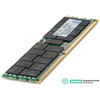 P69728-B21P69728-B21 HPE 64GB (1x64GB) Dual Rank x4 DDR5-6400 CAS-46-45-45 EC8 Registered Smart Memory Kit |
€3 373,95 | In stock | ||||
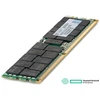 P69727-B21P69727-B21 HPE 32GB (1x32GB) Dual Rank x8 DDR5-6400 CAS-46-45-45 EC8 Registered Smart Memory Kit |
€2 529,79 | In stock | ||||
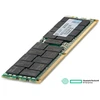 P69726-B21P69726-B21 HPE 16GB (1x16GB) Single Rank x8 DDR5-6400 CAS-46-45-45 EC8 Registered Smart Memory Kit |
€1 130,30 | In stock | ||||
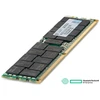 P69729-B21P69729-B21 HPE 96GB (1x96GB) Dual Rank x4 DDR5-6400 CAS-46-45-45 EC8 Registered Smart Memory Kit |
€4 702,14 | In stock | ||||
 P69730-B21P69730-B21 HPE 128GB (1x128GB) Dual Rank x4 DDR5-6400 CAS-46-45-45 EC8 Registered Smart Memory Kit |
Price on request | Out of stock | ||||
 P73447-B21P73447-B21 HPE 256GB (1x256GB) Quad Rank x4 DDR5-6400 CAS-60-52-52 EC8 Registered 3DS Smart Memory Kit |
Price on request | Out of stock |
Prices shown are today's store prices. Volume pricing is available on every kit; ask for a quote for ten or more.
Buying for several servers, or a different model?
Send us the server models and the memory you want in each and we will quote every kit by the next business day. Live chat is the fastest way to reach us.



