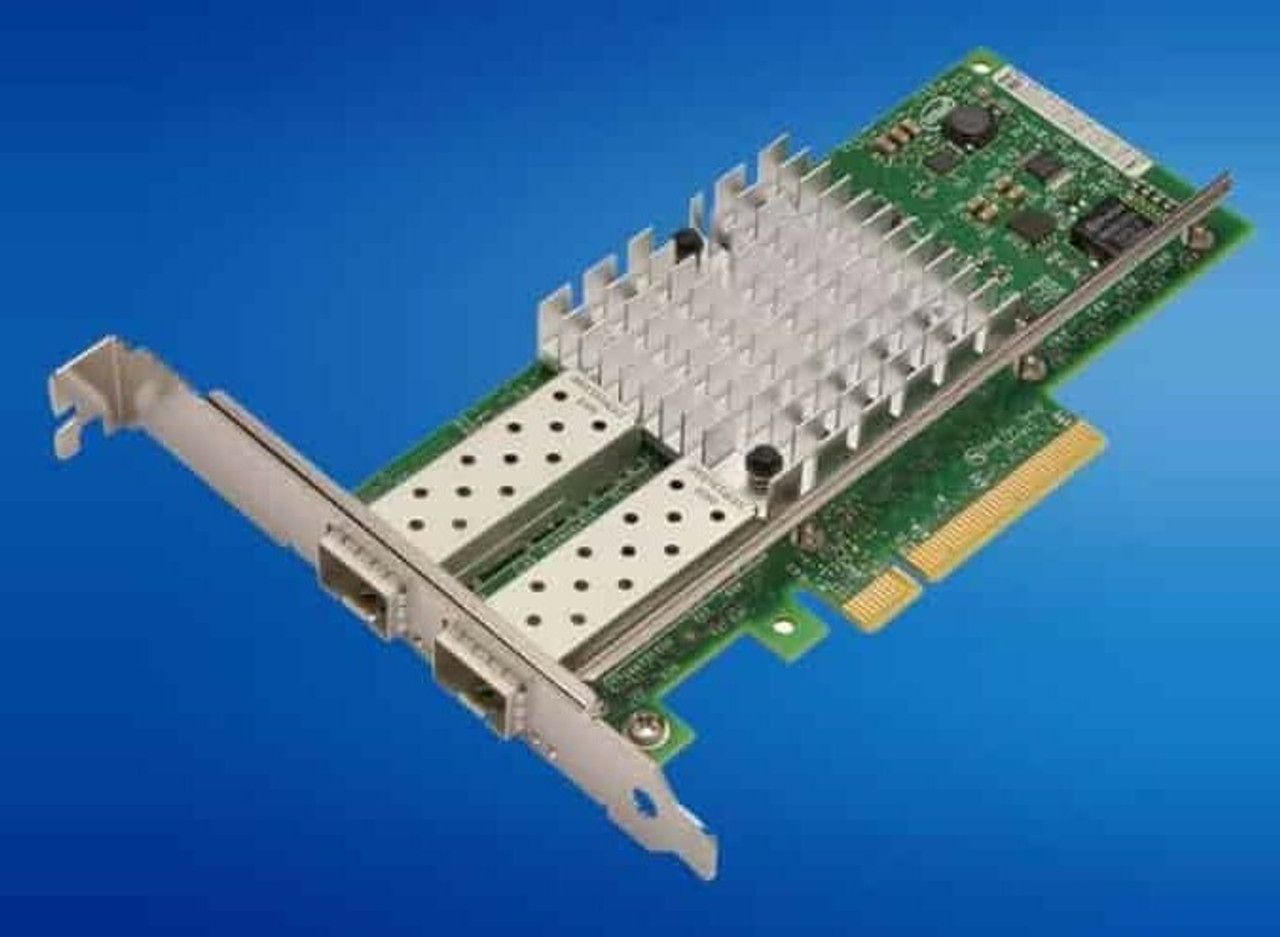
HPE ProLiant SL230s Gen8 Networking Adapters
Genuine HPE Ethernet server adapters and FlexibleLOM cards for the HPE ProLiant SL230s Gen8, new and refurbished. The tray has two Gigabit ports on board and two slots to add to them — a FlexibleLOM slot and one low-profile PCI Express 3.0 x16 slot — and each of those slots shares its position with a front drive bay, which is what makes the choice here a real one.
SL230s Gen8 Networking Specifications
- Embedded networking: an HPE Ethernet 1Gb 2-port 361i Adapter on the Intel I350 controller, plus a dedicated 1GB iLO 4 management port
- Expansion slot: one PCI Express 3.0 slot, x16 electrical on an x16 connector, low profile — and HPE supports only the low-profile version of the 10GbE adapters on this node
- FlexibleLOM slot: a second PCI Express 3.0 x16 slot that ships blank, taking a 1 Gigabit, 10 Gigabit or InfiniBand FlexibleLOM, or a hot-plug drive kit
- Gigabit cards stocked: NC112T single-port, NC365T and 1Gb 4-port 331T, 1Gb 2-port 361T and 332T, and the 1Gb 4-port 331FLR FlexibleLOM
- 10 Gigabit cards stocked: NC523SFP, NC552SFP, 10Gb 2-port 530SFP and 560SFP+ adapters, with the 530FLR-SFP+ and FlexFabric 554FLR-SFP+ in FlexibleLOM form
- InfiniBand: 4X QDR and FDR dual-port host channel adapters, including 544QSFP and 544FLR-QSFP ConnectX-3 cards needing no enablement kit
- Cabling: direct attach copper cables, or transceivers and fibre for optical runs, are purchased separately from the adapter
Only the low-profile 10GbE cards are supported here. HPE states it plainly for this node, so a standard-height adapter is the wrong part however well it matches on speed. Slot count is the other constraint: the PCI Express slot and the FlexibleLOM each share a position with a front hot-plug drive bay, so cards and front drives add up to two.
Which slot should the adapter go in?
| Slot | Type | Takes | Shares its position with |
|---|---|---|---|
| FlexibleLOM | PCIe 3.0 x16, ships blank | 1 Gigabit, 10 Gigabit or InfiniBand FlexibleLOM cards | One front hot-plug SFF bay |
| PCI Express expansion | PCIe 3.0 x16, low profile | Standard low-profile cards, including InfiniBand host channel adapters | The other front hot-plug SFF bay |
| Embedded 361i | On board | Two Gigabit RJ-45 ports, always present | Nothing |
Two Gigabit ports are already fitted, so a card earns its slot by adding bandwidth, fabric or port count rather than basic connectivity. The constraint is not slot count but what a slot costs: both sit opposite a front hot-plug drive bay, so a tray built for throughput gives up disk and a tray built for disk gives up cards. On clustered work that trade is usually settled by the interconnect, which is why the InfiniBand adapters on the parts page matter here as much as the Ethernet cards.
Choosing the Right SL230s Gen8 Network Adapter
- Low profile is a requirement, not a preference. HPE supports only the low-profile version of the 10GbE Ethernet adapters in this tray, so a standard-height card is the wrong part however it matches on speed.
- Decide between a card and a front drive first. Adapters and front hot-plug drives come out of the same two positions, and they add up to two.
- The ConnectX-3 InfiniBand cards need no enablement kit. HPE notes this for the 544QSFP and both 544FLR-QSFP adapters, which run FDR or QDR InfiniBand or 40 and 10 Gigabit Ethernet.
- Cables and transceivers are separate. SFP+ and QSFP cards ship bare: direct attach copper for short runs, transceivers and fibre for longer ones.
- Match the media, not just the speed. An SFP+ card and a 10GBASE-T switch port will not connect without the right optics in between.
Complete Your SL230s Gen8 Build
An adapter and a front drive compete for the same position — see SL230s Gen8 drives before committing a slot. Also available: SL230s Gen8 memory, processors and storage controllers, or the full SL230s Gen8 parts listing, where the InfiniBand host channel adapters are found, and the HPE parts by server model index.
SL230s Gen8 Networking Adapters FAQ
How many network ports does an SL230s Gen8 have as standard?
Two Gigabit RJ-45 ports, from the embedded HPE Ethernet 1Gb 2-port 361i Adapter on an Intel I350 controller, plus a separate dedicated port for iLO 4 management.
Does the SL230s Gen8 support InfiniBand?
Yes. 4X QDR and FDR dual-port host channel adapters are listed for this node, including the 544QSFP and 544FLR-QSFP ConnectX-3 cards, which HPE notes need no InfiniBand enablement kit.
What is the FlexibleLOM slot on this server?
A PCI Express 3.0 x16 slot that ships blank. It takes a 1 Gigabit, 10 Gigabit or InfiniBand FlexibleLOM adapter, or a hot-plug drive kit in place of a card.
Can I fit a full-height 10GbE card?
No. HPE supports only the low-profile version of the 10GbE Ethernet adapters on the SL230s Gen8, so the card has to be the low-profile variant.
Do SFP+ adapters include cables?
No. Direct attach copper cables for copper environments, and transceivers plus fibre for fibre-optic ones, are purchased separately from the adapter.
Can I have two adapters and two front drives at once?
No. The PCI Express slot and the FlexibleLOM slot each share a position with one of the two front hot-plug bays, so every card fitted is one front drive fewer.
✅ Looking for a specific SL230s Gen8 network adapter? Browse our full selection below.
Browse all models

Why Global One?
- Trusted by thousands. Over 36,000 customers in 100+ countries trust Global One Technology to deliver mission-critical HP Enterprise hardware - including Fortune 500 businesses, schools, hospitals, and federal, state, and local goverment agencies.
- HPE is our specialty! We only sell genuine HP Enterprise parts.
- EASY ordering process. Purchase online now with credit card or PayPal!
- FAST shipping. Global One Technology ships orders received by 4pm ET the same day and offers NEXT DAY delivery to US customers.



