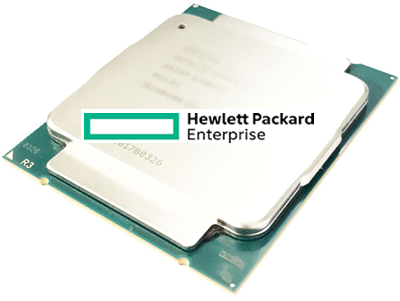
HPE ProLiant BL680c G7 Processors
Genuine HPE processor option kits for the HPE ProLiant BL680c G7, new and refurbished. This blade takes two, three or four processors — one processor is not supported — and every processor in it must be identical, so a socket upgrade means matching the part already fitted rather than buying the fastest kit on the page.
BL680c G7 Processor Specifications
- Sockets: four, on the Intel 7500 chipset, upgradeable to three and four processors
- Minimum configuration: two processors, installed in sockets CPU1 and CPU3; a single-processor blade is not a supported configuration
- Matching: all processors within the blade must be identical
- Eight-core kits stocked: Intel Xeon X7560 at 2.26GHz and 130W, X7550 at 2.0GHz and 130W, and the 95W L7555 at 1.86GHz
- Six-core and four-core kits stocked: Intel Xeon E7540 at 2.0GHz and E7530 at 1.86GHz, both 105W, plus the four-core 95W E7520 at 1.86GHz
- Cache: up to 30MB of level 3 cache memory
- Kit contents: every kit listed here contains one processor, complete with heatsink and fans
Check the family in the socket before you order. HPE states that Intel Xeon E7-4800 and 8867L series processors cannot be used to upgrade a BL680c G7 fitted with Xeon 6500 or 7500 series parts. Every processor in the blade must be identical, and one processor on its own is not a supported configuration — the minimum is two, in sockets CPU1 and CPU3.
How many processors does the blade actually need?
| Processors fitted | Status | RDIMM slots available |
|---|---|---|
| One | Not supported | – |
| Two, in CPU1 and CPU3 | Minimum configuration | 32 |
| Three | Supported | 48 |
| Four | Full configuration | 64 |
Memory capacity is usually the real reason to fill the sockets. Sixteen RDIMM slots arrive with each installed processor, so the step from two processors to four is also the step from 32 slots to 64 — and on a blade that occupies a double-wide enclosure slot, unused sockets are expensive space. Because every processor must match, plan the end state before the first kit: three identical parts are easier to source together than one more of something bought years ago.
Choosing the Right BL680c G7 Processor
- Check what is in the socket before ordering. HPE states that Intel Xeon E7-4800 and 8867L series processors cannot be used to upgrade a BL680c G7 fitted with Xeon 6500 or 7500 series processors, so the family already installed decides what will work.
- Buy two at minimum for an empty blade. One processor is not supported, and the pair belongs in sockets CPU1 and CPU3.
- Every processor must be identical. Adding a third or fourth means matching the model already fitted, not just the core count or the wattage class.
- The processor sets the memory clock. Memory speed follows the QPI rate: 6.40GT/s runs RDIMMs at 1066MHz, 5.86GT/s at 978MHz and 4.80GT/s at 800MHz.
- Flash the ROM first. HPE requires the blade's ROM to be flashed to the specified BIOS before changing to a different processor.
Complete Your BL680c G7 Build
Each processor you add opens sixteen more RDIMM slots — see BL680c G7 memory alongside this page. Also available: BL680c G7 hard drives and storage controllers, or the full BL680c G7 parts listing, which carries the mezzanine cards and IO Accelerators as well. Neighbouring blades: BL620c G7 processors, BL685c G7 processors and BL660c Gen8 processors, with every model indexed under HPE parts by server model.
BL680c G7 Processors FAQ
How many processors does a BL680c G7 support?
Two, three or four. One processor is not supported, and the minimum configuration is two processors installed in sockets CPU1 and CPU3.
Can I mix processor models in a BL680c G7?
No. All processors within the blade must be identical, so adding a third or fourth means matching the exact part already fitted.
Can I fit E7-4800 series processors in this blade?
Not as an upgrade to a blade running Xeon 6500 or 7500 series processors. HPE states that the E7-4800 and 8867L series cannot be used to upgrade a BL680c G7 fitted with 6500 or 7500 series parts, so check the socket before ordering.
Does adding processors add memory capacity?
Yes, and it is often the reason to do it. Sixteen RDIMM slots come with each installed processor, so two processors give 32 usable slots and four give all 64.
Do I need to update firmware before a processor upgrade?
Yes. HPE requires the blade's ROM to be flashed to the specified BIOS before changing to a different processor.
Do BL680c G7 processor kits include a heatsink?
Yes. The kits listed for this blade come complete with heatsink and fans, and each one contains a single processor.
✅ Looking for a specific BL680c G7 processor? Browse our full selection below.
Browse all models

Why Global One?
- Trusted by thousands. Over 36,000 customers in 100+ countries trust Global One Technology to deliver mission-critical HP Enterprise hardware - including Fortune 500 businesses, schools, hospitals, and federal, state, and local goverment agencies.
- HPE is our specialty! We only sell genuine HP Enterprise parts.
- EASY ordering process. Purchase online now with credit card or PayPal!
- FAST shipping. Global One Technology ships orders received by 4pm ET the same day and offers NEXT DAY delivery to US customers.



