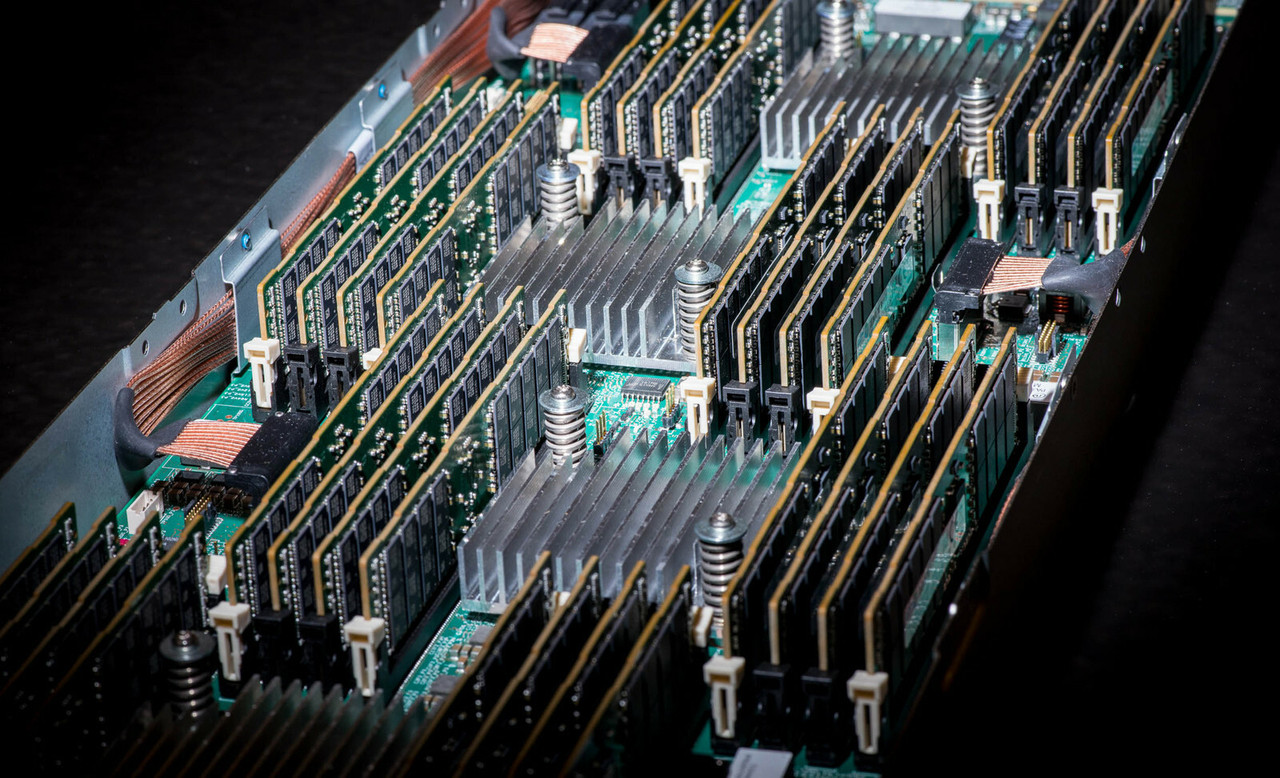
HPE ProLiant BL680c G7 Memory
Genuine HPE DDR3 registered memory for the HPE ProLiant BL680c G7, new and refurbished. This blade carries 64 RDIMM slots — sixteen for every installed processor — and the rule that catches people out is that the slots follow the sockets: a two-processor blade has 32 usable slots, not 64, however many kits you buy.
BL680c G7 Memory Specifications
- Type: DDR3 Registered (RDIMM) only, DDR3-1333 and DDR3-1066, operating up to 1066MHz; there is no unbuffered option for this blade
- Slots: 64 in total. Each socket carries two memory controllers, each feeding two Intel Scalable Memory Buffers, and each buffer carries four RDIMMs — sixteen per installed processor
- Standard configuration: 64GB as eight 8GB dual-rank DDR3-1066 RDIMMs
- Maximum: 2.0TB with 32GB RDIMMs in all 64 slots, or 1.8TB if the standard memory is kept in place and the remaining slots are filled
- Installation rule: RDIMMs must be installed in pairs with identical characteristics, with a minimum of two RDIMMs on processor 1
- Protection modes: Advanced ECC with SDDC, Double Device Data Correction, demand scrubbing, intra-socket memory mirroring and rank sparing — mirroring and rank sparing cannot both be enabled
The slots follow the processors, sixteen at a time. All 64 RDIMM slots are only usable with four processors installed; a two-processor blade has 32. The compensation is that speed does not fall as you fill them — HPE ties memory speed to the processor's QPI rate, not to the number of RDIMMs or their ranks.
Does filling the slots slow the memory down?
| Processor QPI speed | RDIMM operating speed |
|---|---|
| 6.40GT/s | 1066MHz |
| 5.86GT/s | 978MHz |
| 4.80GT/s | 800MHz |
No — and that is unusual enough to be worth knowing before you buy. HPE states that memory speed on this blade is not affected by the number of RDIMMs installed or by their ranks; it is a function of the processor's QPI speed alone. You can populate all 64 slots without a clock penalty, and no amount of memory buying will lift the speed above what the fitted processors allow.
Choosing the Right BL680c G7 Memory
- Count the processors, not the slots. Populate a processor's sixteen slots only if that processor is installed. Two processors means 32 usable slots, three means 48.
- Buy in pairs. RDIMMs go in as pairs with identical characteristics, and HPE recommends identical part numbers throughout the blade for configuration simplicity.
- Spread capacity evenly. In a three- or four-processor blade, distribute the total capacity between the processors as evenly as you can rather than loading one socket.
- Mixed ranks go in the white connectors. Where ranks differ on a socket, the higher rank count belongs in the white RDIMM locations, at the end point of the channel.
- Low voltage parts lose their advantage when mixed. 1.5V DDR3 and 1.35V DDR3L RDIMMs may share a socket, but everything on that socket then runs at 1.5V.
Complete Your BL680c G7 Build
Memory clock and slot count are both set by the processors — see BL680c G7 processors before ordering kits. For the rest of the blade, browse BL680c G7 hard drives and storage controllers, or the full BL680c G7 parts listing, which also carries the Ethernet, Fibre Channel and InfiniBand mezzanine cards. Neighbouring blades: BL620c G7 memory and BL660c Gen8 memory. Background reading: understanding memory rank in HPE servers and the importance of memory speed, with every model indexed under HPE parts by server model.
BL680c G7 Memory FAQ
What is the maximum memory in a BL680c G7?
2.0TB, using 32GB registered DIMMs in all 64 slots. Keeping the standard 64GB in place and filling the remaining slots reaches 1.8TB instead.
How many memory slots does a BL680c G7 have?
64 in total, sixteen for each installed processor. Each socket has two memory controllers, each feeding two Intel Scalable Memory Buffers, and each buffer carries four RDIMMs.
Does memory speed drop as I fill the slots?
No. HPE states that memory speed on this blade is not affected by the number of RDIMMs or their ranks. It follows the processor's QPI speed: 6.40GT/s runs memory at 1066MHz, 5.86GT/s at 978MHz and 4.80GT/s at 800MHz.
Can I use unbuffered memory in a BL680c G7?
No. The blade is registered only. It takes DDR3-1333 and DDR3-1066 RDIMMs, operating up to 1066MHz.
Do RDIMMs have to be installed in pairs?
Yes. HPE requires RDIMMs to be installed in pairs with identical characteristics, and the minimum configuration is two RDIMMs on processor 1.
Can I mix standard and low voltage RDIMMs?
They can share a socket, but every RDIMM on that socket will then operate at 1.5V, so the low voltage parts give up their advantage.
✅ Looking for a specific BL680c G7 memory module? Browse our full selection below.
Browse all models

Why Global One?
- Trusted by thousands. Over 36,000 customers in 100+ countries trust Global One Technology to deliver mission-critical HP Enterprise hardware - including Fortune 500 businesses, schools, hospitals, and federal, state, and local goverment agencies.
- HPE is our specialty! We only sell genuine HP Enterprise parts.
- EASY ordering process. Purchase online now with credit card or PayPal!
- FAST shipping. Global One Technology ships orders received by 4pm ET the same day and offers NEXT DAY delivery to US customers.



