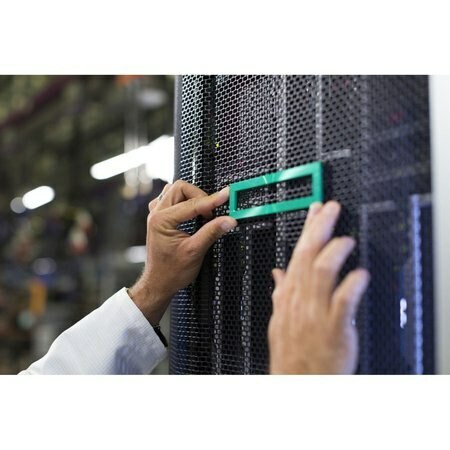
HPE ProLiant XL220a Gen8 v2 Rack Options
Rack and console hardware for the HPE ProLiant XL220a Gen8 v2, new and refurbished. This tray does not rack on its own: it slides into an HPE Apollo a6000 chassis that carries the rails, power and cooling, so what HPE lists under rack options here is the keyboard and mouse end of a rack install.
XL220a Gen8 v2 Rack Specifications
- What this category lists: HPE USB BFR with PVC Free keyboard and mouse kits, in twenty regional layouts from US and UK through DE, FR, JP, KR and CN
- Live pricing: the US layout kit carries a price; the other nineteen render a quote link
- No rails, by design: the QuickSpecs documents no rail kit, because this is a tray and rack mounting belongs to the chassis
- Chassis prerequisites: an Apollo a6000 Chassis and an Apollo 6000 Power Shelf, both required, with tray support bought at chassis level
- Console access: a Serial/USB/Video (SUV) connector per node, broken out by the 36pin dongle cord kit
- Rack-level management: iLO 4 per node, plus the HPE Advanced Power Manager across up to ten chassis
There are no rails on this page, and the tray does not take any. Rack mounting, power and cooling all belong to the HPE Apollo a6000 chassis, which HPE lists alongside an Apollo 6000 Power Shelf as required to support the server. What this category stocks is USB BFR with PVC Free keyboard and mouse kits in twenty regional layouts, of which the US layout is the one carrying a live price.
What Does It Actually Take to Rack an XL220a Gen8 v2?
| Requirement | The platform answer | Worth knowing |
|---|---|---|
| Rack mounting and rails | The Apollo a6000 chassis | Chassis level, not a tray part |
| Power | An Apollo 6000 Power Shelf | Listed as required |
| Cooling | The Apollo 6000 chassis | An air-cooled design |
| A screen on one node | Its SUV connector | Needs the 36pin SUV dongle kit |
| Keyboard and mouse | A USB BFR with PVC Free kit | What this category lists |
The first three rows are the honest caveat on this page: they are documented requirements of the platform, and none is a part this category stocks — HPE points to the Apollo a6000 Chassis and Apollo 6000 Power Shelf QuickSpecs for those. What is left here is the input end of a rack install.
Choosing the Right XL220a Gen8 v2 Rack Options
- Match the layout to the rack, not the server. These kits differ only by regional keyboard layout, and the US layout is the one carrying live pricing.
- A tray on its own will not run. Rack mounting, power and cooling all come from the a6000 chassis and its power shelf.
- A node needs the SUV dongle for a screen. Its Serial/USB/Video connector breaks out to keyboard, mouse and video only through the 36pin dongle cord kit.
- iLO 4 covers most of what a console would. Every node has it, so this hardware is for working at the rack itself.
Complete Your XL220a Gen8 v2 Build
Everything that goes in the tray sits in the other categories — XL220a Gen8 v2 memory, drives, storage controllers and networking adapters — or the full XL220a Gen8 v2 parts listing, which also carries the USB and SD options. On the other XL tray? See XL230a Gen9 parts, or every model under HPE parts by server model.
XL220a Gen8 v2 Rack Options FAQ
Does the XL220a Gen8 v2 come with rack rails?
No, and it does not take them. The tray is a single-slot tray for the HPE Apollo a6000 chassis, and rack mounting, power and cooling are all chassis-level on this platform.
What else do I need to run an XL220a Gen8 v2 tray?
An Apollo a6000 Chassis and an Apollo 6000 Power Shelf. HPE lists both as required to support the server, and tray support is purchased at chassis level.
What is actually listed in this category?
HPE USB BFR with PVC Free keyboard and mouse kits in twenty regional layouts. The US layout kit carries a live price; the others render a quote link.
How do I get a screen on an XL220a Gen8 v2 node?
Through the Serial/USB/Video (SUV) connector on the front of that node, using the 36pin Serial/USB/VGA dongle cord kit listed under USB and SD options.
Is there a KVM console or console switch for this server?
None is listed in the QuickSpecs for this tray. Management is iLO 4 on each node, with the HPE Advanced Power Manager as a rack level option across up to ten chassis.
How much does an XL220a Gen8 v2 tray weigh?
Up to 15.0 lb (6.8 kg) with four hard drives and two processors installed. The tray measures 1.70 x 8.33 x 27.87 inches (4.33 x 21.15 x 70.79 cm).
✅ Looking for a specific XL220a Gen8 v2 rack option? Browse our full selection below.
Browse all models

Why Global One?
- Trusted by thousands. Over 36,000 customers in 100+ countries trust Global One Technology to deliver mission-critical HP Enterprise hardware - including Fortune 500 businesses, schools, hospitals, and federal, state, and local goverment agencies.
- HPE is our specialty! We only sell genuine HP Enterprise parts.
- EASY ordering process. Purchase online now with credit card or PayPal!
- FAST shipping. Global One Technology ships orders received by 4pm ET the same day and offers NEXT DAY delivery to US customers.



