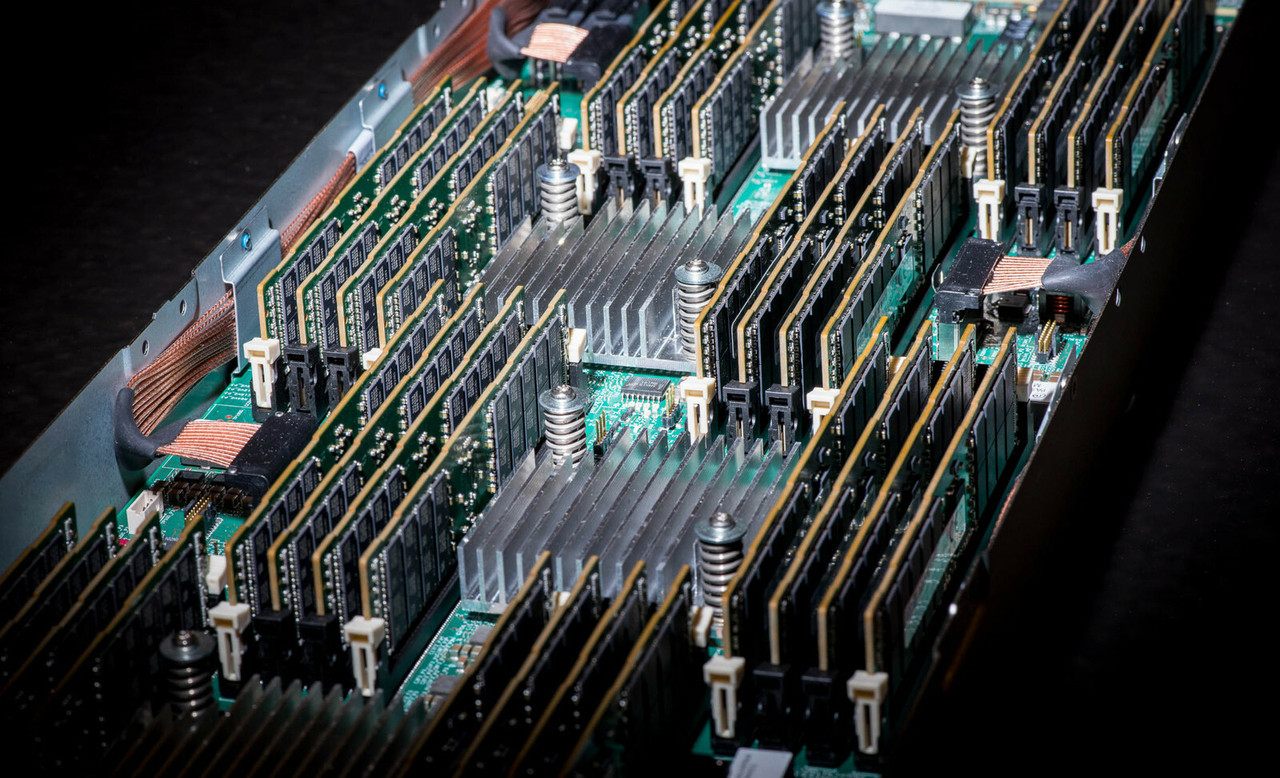
HPE ProLiant ML150 Gen9 Memory
Genuine HPE SmartMemory DDR4 for the HPE ProLiant ML150 Gen9, new and refurbished. The server carries 16 DIMM slots, eight per processor, and the constraint that shapes every upgrade is that Registered and Load Reduced modules are distinct technologies that cannot be mixed in one server.
ML150 Gen9 Memory Specifications
- Type: HPE SmartMemory DDR4 Registered (RDIMM) or Load Reduced (LRDIMM), in DDR4-2133 CAS-15 kits for E5-2600 v3 processors and DDR4-2400 CAS-17 kits for v4
- Slots: 16 in total, eight per processor; with only one processor installed, half of them are unavailable
- Maximum capacity: 512GB, using sixteen 32GB modules at 2400MHz — the same ceiling for Registered and for Load Reduced
- Kit sizes documented: 4GB, 8GB, 16GB and 32GB Registered; 16GB and 32GB Load Reduced
- Operating speed: 2133, 1866, 1600 or 1333MHz depending on the processor model and how the slots are populated
- Protection: Advanced ECC with single device data correction, plus Online Spare, which switches a degrading rank over to a spare
Load Reduced memory buys no extra capacity in this server. Registered and Load Reduced both stop at 512GB on sixteen 32GB modules at 2400MHz, so the choice is about matching what is already fitted rather than reaching higher. The two cannot be mixed, and HPE warns that trying can halt the server during BIOS installation.
Should You Fit RDIMMs or LRDIMMs?
| Registered (RDIMM) | Load Reduced (LRDIMM) | |
|---|---|---|
| Maximum capacity | 512GB | 512GB |
| Configuration at maximum | 16 × 32GB at 2400MHz | 16 × 32GB at 2400MHz |
| Kit sizes documented | 4GB, 8GB, 16GB, 32GB | 16GB, 32GB |
| Mixing with the other type | Not supported | Not supported |
Read the first row twice, because it is unusual: on this server Load Reduced memory buys no extra capacity at all. Both technologies stop at 512GB on sixteen 32GB modules, so the choice here is not about reaching a higher ceiling — it is about matching whatever is already in the machine. HPE warns that mixing the two can halt the server during BIOS installation, which makes a wrong module an outage rather than a slow boot.
Choosing the Right ML150 Gen9 Memory
- Check which technology is fitted before ordering. Converting a server from one to the other means replacing every module in it, not topping it up.
- Match the kit to the processor family. DDR4-2133 CAS-15 kits are documented for E5-2600 v3 processors and DDR4-2400 CAS-17 kits for v4.
- The processor sets the clock, not the module. Memory runs at 2133, 1866, 1600 or 1333MHz depending on the processor model and the population, so a 2400 kit in a v3 server runs at the speed that server allows.
- One processor means eight usable slots. The other eight are wired to the second socket, so a capacity upgrade on a single-processor tower may really be a processor purchase.
- Every HPE option kit here is a single DIMM. A 128GB upgrade is four 32GB kits, not one boxed set, and previous-generation HPE memory is not qualified for this server.
Complete Your ML150 Gen9 Build
Memory speed is set by the processor as much as by the module — see ML150 Gen9 processors before deciding on clock. For the rest of the server, browse ML150 Gen9 drives, storage controllers, networking adapters and power supplies, or start from the full ML150 Gen9 parts listing. Background reading: understanding memory rank in HPE servers and the server memory upgrade checklist. Other models are listed under HPE parts by server model.
ML150 Gen9 Memory FAQ
What is the maximum memory in an ML150 Gen9?
512GB, using sixteen 32GB modules at 2400MHz. HPE documents that same ceiling for Registered and for Load Reduced DIMMs, so neither technology reaches further than the other in this server.
How many memory slots does the ML150 Gen9 have?
Sixteen, arranged as eight per processor. If only one processor is installed, only eight slots are available; fitting the second processor opens the rest.
Can I mix RDIMMs and LRDIMMs in an ML150 Gen9?
No. Registered and Load Reduced are distinct memory technologies and cannot be mixed in this server. HPE warns that attempting it can halt the server during BIOS installation.
Which DDR4 speed do I need for my processor?
DDR4-2133 CAS-15 kits are documented for E5-2600 v3 processors and DDR4-2400 CAS-17 kits for E5-2600 v4. The processor model also sets the clock the bank actually runs at, which may be 2133, 1866, 1600 or 1333MHz.
Why is my ML150 Gen9 memory running below its rated speed?
Because the processor and the population decide the clock, not the module label. A 2400 kit in an E5-2600 v3 server runs at the speed that processor supports, and a heavily populated bank can step down further.
Can I use memory from an older HPE server?
No. HPE states that memory from previous generation servers is not qualified or warranted in this server, and that HPE SmartMemory is required to get the documented Gen9 performance and functionality.
✅ Looking for a specific ML150 Gen9 memory module? Browse our full selection below.
Browse all models

Why Global One?
- Trusted by thousands. Over 36,000 customers in 100+ countries trust Global One Technology to deliver mission-critical HP Enterprise hardware - including Fortune 500 businesses, schools, hospitals, and federal, state, and local goverment agencies.
- HPE is our specialty! We only sell genuine HP Enterprise parts.
- EASY ordering process. Purchase online now with credit card or PayPal!
- FAST shipping. Global One Technology ships orders received by 4pm ET the same day and offers NEXT DAY delivery to US customers.



