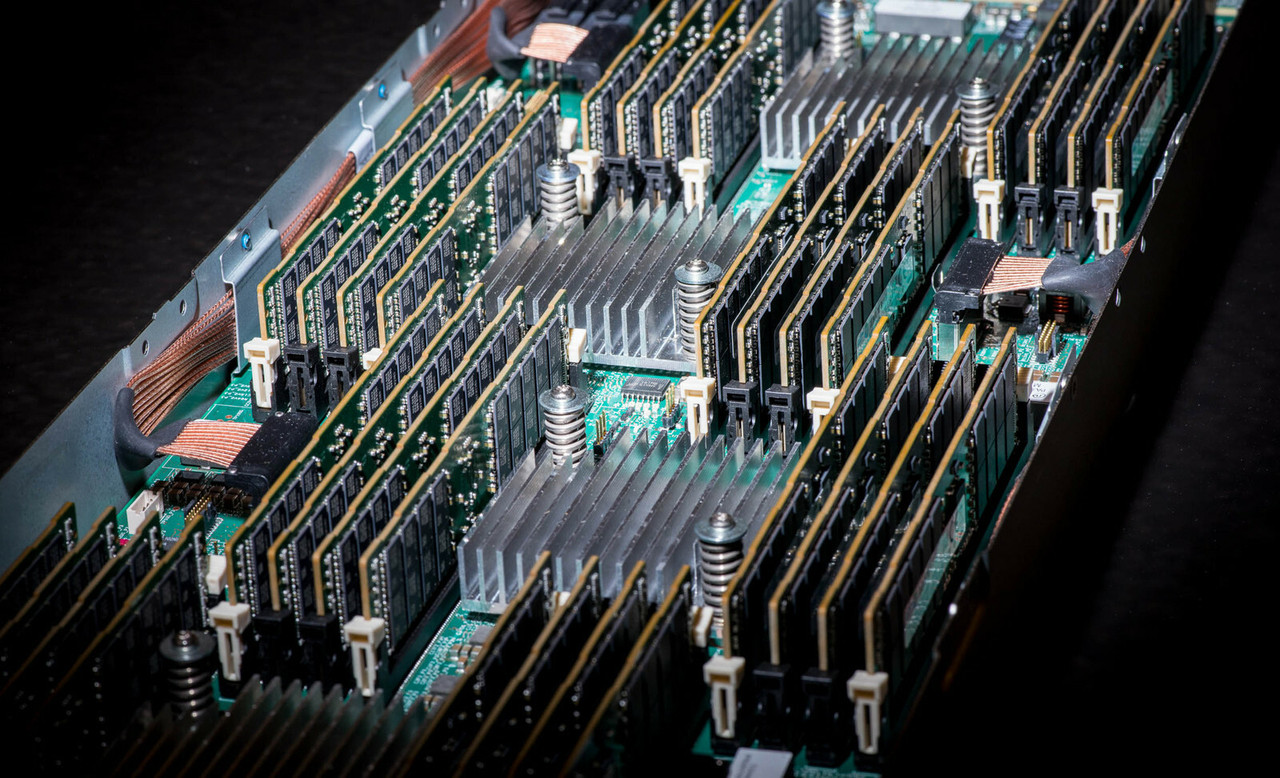
HPE ProLiant DL380 G7 Memory
Genuine HPE DDR3 memory for the HPE ProLiant DL380 G7, new and refurbished. The server carries 18 DIMM slots — nine per processor, three per channel — and the single decision that shapes every upgrade is Registered against Unbuffered, because the two cannot run together in the same server.
DL380 G7 Memory Specifications
- Type: DDR3 Registered (RDIMM) or Unbuffered (UDIMM), PC3-10600 (DDR3-1333) and PC3-8500 (DDR3-1066), including PC3L low-voltage parts
- Slots: 18 in total, three per channel across six channels with two processors fitted; with only one processor installed, half the slots are unavailable
- Maximum registered: 384GB, using twelve 32GB quad-rank PC3L-8500 modules at two DIMMs per channel, running at 800MHz when fully populated
- Maximum unbuffered: 48GB, using 4GB Unbuffered kits at two DIMMs per channel
- Quad-rank limit: when populating with 16GB quad-rank kits, HPE documents a maximum of twelve DIMMs
- Protection modes: Advanced ECC multi-bit error protection, Mirroring and Lockstep on all models, with Online Spare supported on Xeon 5600 series processors
Registered and Unbuffered cannot be mixed, and the gap between them is not small. Registered DIMMs reach 384GB in this server; Unbuffered stop at 48GB. Converting a machine from one type to the other means replacing every module in it, so check what is fitted before ordering a single kit.
Should You Fit Registered or Unbuffered DIMMs?
| Registered (RDIMM) | Unbuffered (UDIMM) | |
|---|---|---|
| Maximum capacity | 384GB | 48GB |
| Kit sizes stocked | 2GB, 4GB, 8GB, 16GB, 32GB | 1GB, 2GB, 4GB |
| Largest module | 32GB quad-rank PC3L-8500 | 4GB dual-rank PC3-10600 |
| Mixing with the other type | Not supported | Not supported |
For any DL380 G7 being bought for capacity, Registered is the only answer — Unbuffered tops out at a twelfth of the registered ceiling. Unbuffered kits are worth stocking only where a server already runs them and is being topped up rather than rebuilt, since converting a machine means replacing every module in it.
Choosing the Right DL380 G7 Memory
- Check which type is already fitted before ordering. Registered and Unbuffered cannot be mixed, so a single wrong module means the server will not post rather than simply running slower.
- Low-voltage PC3L kits need Xeon 5600 series processors. On a 5500 series machine, fit standard-voltage PC3 parts.
- Populate channels evenly. With three channels per processor, kits bought in threes per CPU keep the memory controller balanced and hold the higher clock.
- Expect a speed step at full population. Xeon 5600 machines run 1333MHz at one or two DIMMs per channel; a fully loaded third slot per channel drops the whole bank to 800MHz, and Xeon 5500 machines run at 1066MHz regardless.
- Every HPE DDR3 option kit here is a single DIMM. A 96GB upgrade is twelve 8GB kits, not one boxed set.
Complete Your DL380 G7 Build
Memory speed is set by the processor as much as by the module — see the DL380 G7 processors before deciding on clock. For the rest of the server, browse DL380 G7 hard drives, storage controllers, networking adapters and power supplies, or start from the full DL380 G7 parts listing. Background reading: understanding memory rank in HPE servers and the importance of memory speed.
DL380 G7 Memory FAQ
What is the maximum memory in a DL380 G7?
384GB with Registered DIMMs, reached with twelve 32GB quad-rank PC3L-8500 modules in a two-processor server. A single-processor server reaches half of that, because only half the DIMM slots are available.
Can I mix Registered and Unbuffered memory in a DL380 G7?
No. The two types cannot be mixed in the same server. Whichever is fitted today is what any upgrade must match, and converting from one to the other means replacing every module.
How many memory slots does the DL380 G7 have?
Eighteen, arranged as nine per processor across three channels. With one processor installed, only nine are usable.
Why does my DL380 G7 memory run at 800MHz?
Speed falls as the channels fill. Xeon 5600 series machines run 1333MHz at one or two DIMMs per channel, and a fully populated third DIMM per channel brings the bank down to 800MHz. Xeon 5500 series machines run at 1066MHz.
Can I use PC3L low-voltage memory in a DL380 G7?
Only with Intel Xeon 5600 series processors. A 5500 series server needs standard-voltage PC3 modules.
Do HPE memory kits for this server contain more than one DIMM?
No. Every DDR3 option kit listed for this server is a single DIMM, so a twelve-slot fill is twelve kits.
✅ Looking for a specific DL380 G7 memory module? Browse our full selection below.
Browse all models

Why Global One?
- Trusted by thousands. Over 36,000 customers in 100+ countries trust Global One Technology to deliver mission-critical HP Enterprise hardware - including Fortune 500 businesses, schools, hospitals, and federal, state, and local goverment agencies.
- HPE is our specialty! We only sell genuine HP Enterprise parts.
- EASY ordering process. Purchase online now with credit card or PayPal!
- FAST shipping. Global One Technology ships orders received by 4pm ET the same day and offers NEXT DAY delivery to US customers.



