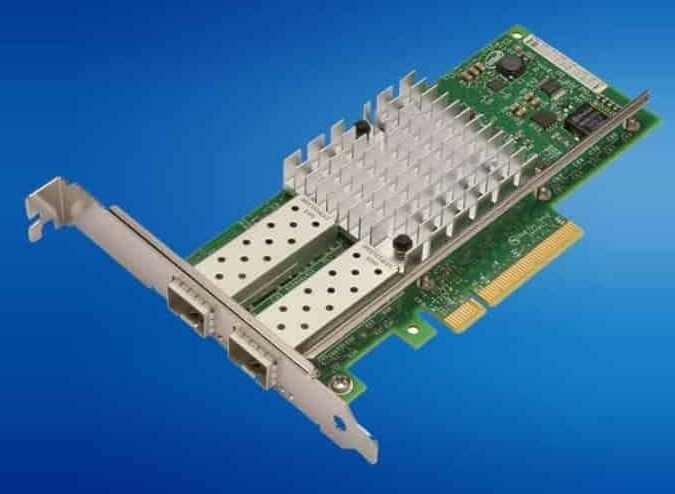
HPE ProLiant BL460c Gen10 Networking Adapters
Genuine HPE FlexibleLOM and mezzanine adapters for the HPE ProLiant BL460c Gen10, new and refurbished. A blade has no PCIe card slots and no RJ-45 ports of its own: it has one FlexibleLOM and two x16 PCIe 3.0 mezzanine slots, and every port on them lands in an interconnect bay in the enclosure rather than on a cable at the back.
BL460c Gen10 Networking Specifications
- FlexibleLOM: exactly one, always dual port, with one port routed to interconnect bay 1 and the other to bay 2; FlexFabric 20Gb 630FLB and 650FLB, FlexFabric 10Gb 536FLB and Ethernet 10Gb 560FLB are listed
- FlexibleLOM capability: FCoE, TCP/IP offload engine, hardware-based accelerated iSCSI, iSCSI boot and autosensing 10Gb or 1Gb operation, with both ports always at the same speed
- Mezzanine slots: two I/O expansion slots, both x16 PCIe 3.0 — slot 1 is Type A and reaches interconnect bays 3 and 4, slot 2 takes Type A or Type B, reaches bays 5 and 6, and requires a processor in socket 2
- Ethernet mezzanine cards stocked: FlexFabric 20Gb 630M and 650M, FlexFabric 10Gb 534M and Ethernet 10Gb 560M
- Fibre Channel: the LPe1605 and QMH2672 16Gb host bus adapters for c-Class, both mezzanine cards
- InfiniBand: the FDR/Ethernet 10Gb/40Gb 2-port 544+M; HPE documents FDR as the only InfiniBand speed supported on this blade
- Management port: a separate 10/100 Mbps link from iLO 5 to the enclosure Onboard Administrator, independent of the data ports
Mezzanine slot 2 does not exist without a second processor. Expansion slot 2 requires a processor in socket 2, so a single-processor blade has one usable mezzanine slot however many cards you own — and a Smart Array P408e-m or a Fibre Channel card wants that same slot. The enclosure has a vote too: a 10 Gigabit adapter links at only 1Gbps against an interconnect module with 1Gb downlinks.
Which position does the card go in?
| Position | Takes | Ports land in |
|---|---|---|
| FlexibleLOM connector | One dual-port FLB adapter, 10Gb or 20Gb | Interconnect bays 1 and 2 |
| Mezzanine slot 1 (x16 PCIe 3.0, Type A) | Type A mezzanine cards | Interconnect bays 3 and 4 |
| Mezzanine slot 2 (x16 PCIe 3.0, Type B) | Type A or Type B, dual or quad port | Bays 5 and 6, or bays 5 to 8 on a quad-port card |
Two things catch people out. Mezzanine slot 2 is wired to processor socket 2, so a single-processor blade has one usable mezzanine slot, not two, and a Smart Array P408e-m or a Fibre Channel card will be competing for it. The enclosure has a vote on speed as well: a 10 Gigabit adapter links at 10Gbps against an interconnect module with 10Gb downlinks and at only 1Gbps against one with 1Gb downlinks.
Choosing the Right BL460c Gen10 Network Adapter
- Count the processors before the slots. Mezzanine slot 2 does not exist on a single-processor blade, and no card will bring it up.
- Match the card to the interconnect modules already fitted. FlexFabric features need an HPE Virtual Connect FlexFabric or Flex-10/10D module to be available at all.
- The FlexibleLOM is a replacement, not an addition. The blade takes one, it comes fitted on pre-configured models, and the options here change it rather than adding to it.
- InfiniBand placement is not free. A 544+M in mezzanine slot 1 runs one port whatever the mode, yet FDR mode requires slot 1, so port count and speed pull against each other.
- Storage traffic may not need a card. Every FlexibleLOM here already carries FCoE, hardware accelerated iSCSI and iSCSI boot, so a mezzanine card earns its slot for ports, bandwidth or Fibre Channel instead.
Complete Your BL460c Gen10 Build
The second mezzanine slot needs a second processor, so check BL460c Gen10 processors before ordering a card. Also available: BL460c Gen10 memory, drives and storage controllers, whose P408e-m competes for the same mezzanine slot, or the full BL460c Gen10 parts listing. The adjacent generation is BL460c Gen9 networking adapters, with the rest of the range under HPE ProLiant BL blade server parts and every model indexed under HPE parts by server model.
BL460c Gen10 Networking Adapters FAQ
How many network ports does a BL460c Gen10 have as standard?
Two. The blade takes one FlexibleLOM, always dual port, with one port routed to interconnect bay 1 and the other to bay 2. A separate 10/100 Mbps port links iLO 5 to the enclosure Onboard Administrator.
How many mezzanine cards can a BL460c Gen10 take?
Two, but only with two processors installed. Expansion slot 2 requires a processor in socket 2, so a single-processor blade has one usable mezzanine slot.
Can I use a 20Gb adapter with a 10Gb interconnect?
It will link, but at the lower speed. The interconnect module sets the ceiling: HPE notes that a 10 Gigabit adapter runs at only 1Gbps against a module with 1Gb downlinks.
What is the difference between a FlexibleLOM and a mezzanine card?
The FlexibleLOM has its own dedicated connector and always provides two ports into interconnect bays 1 and 2. Mezzanine cards go in the two x16 PCIe 3.0 expansion slots and reach bays 3 to 8 depending on slot and port count.
Which InfiniBand speeds does the BL460c Gen10 support?
FDR only. HPE documents FDR as the sole InfiniBand speed supported on this blade, using the 544+M adapter, which must sit in mezzanine slot 1 for FDR mode - where only one of its two ports is active.
Do I need an add-in adapter for iSCSI?
Usually not. The FlexibleLOM adapters listed for this blade already carry a TCP/IP offload engine, hardware-based accelerated iSCSI and iSCSI boot, alongside FCoE.
✅ Looking for a specific BL460c Gen10 network adapter? Browse our full selection below.
Browse all models

Why Global One?
- Trusted by thousands. Over 36,000 customers in 100+ countries trust Global One Technology to deliver mission-critical HP Enterprise hardware - including Fortune 500 businesses, schools, hospitals, and federal, state, and local goverment agencies.
- HPE is our specialty! We only sell genuine HP Enterprise parts.
- EASY ordering process. Purchase online now with credit card or PayPal!
- FAST shipping. Global One Technology ships orders received by 4pm ET the same day and offers NEXT DAY delivery to US customers.



