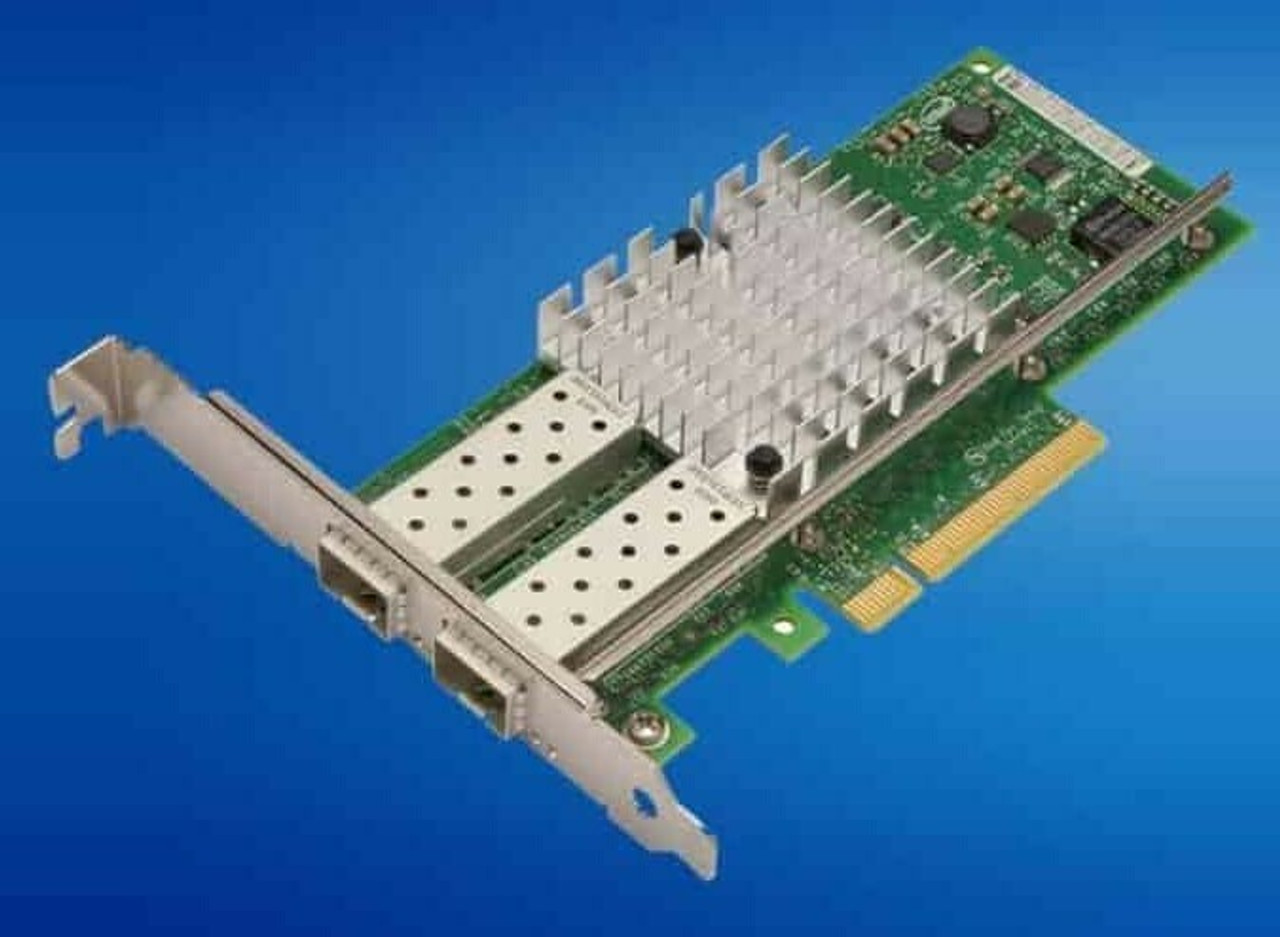
HPE ProLiant ML350 Gen11 Networking Adapters
Genuine HPE Ethernet adapters for the HPE ProLiant ML350 Gen11, new and refurbished. This server has no network ports on the system board — the QuickSpecs lists them as a choice of OCP or stand-up card — so an adapter here is not an upgrade to the connectivity, it is the connectivity.
ML350 Gen11 Networking Specifications
- Embedded networking: none. Data ports come from an OCP 3.0 adapter, a PCIe stand-up card, or both
- Management ports: a dedicated 1Gb iLO 6 port at the rear and an iLO service port at the front, independent of data
- OCP slots: two — Slot 14 (OCP 1) and Slot 15 (OCP 2) — a maximum of two OCP adapters, networking using Slot 15 by default
- Slot 15 exclusives: Wake-on-LAN and shared NIC are supported only in Slot 15 OCP 2
- PCIe expansion: up to ten Gen5 slots; the primary and secondary risers come as four x8 or two x16, the tertiary as two x8
- Speeds listed: 1GbE 4-port BASE-T, 10GbE BASE-T and SFP+, 10/25GbE 2- and 4-port SFP28, and 100GbE QSFP28, in stand-up and OCP3
- Cabling: direct attach copper, or transceivers and fibre for optical runs, purchased separately
A x16 connector is not the same as sixteen lanes. Every slot on the default 4x8 primary riser has a x16 connector but only eight electrical lanes, so the four-port SFP28 cards and both 100Gb adapters seat perfectly and still need a 2x16 primary or secondary riser kit to be supported. Check the riser before ordering the card.
Which ML350 Gen11 Adapters Need a x16 Slot?
| Adapter | Lanes needed | Riser required |
|---|---|---|
| Broadcom BCM57504 10/25Gb 4-port SFP28 | x16 | 2x16 riser kit |
| Intel E810-XXVDA4 10/25Gb 4-port SFP28 | x16 | 2x16 riser kit |
| Intel E810-CQDA2 100Gb 2-port QSFP28 | x16 | 2x16 riser kit |
| HPE NV60100M 100Gb 2-port storage offload | x16 | 2x16 riser kit |
| 1GbE, 10GbE and 2-port 25GbE cards | x8 | Any slot on the default 4x8 risers |
The riser catches people out. Every slot on the default 4x8 riser has a x16 connector but only eight electrical lanes, so a four-port SFP28 or a 100Gb card seats perfectly and still is not supported — it needs a 2x16 riser kit, which halves that riser's slot count.
Choosing the Right ML350 Gen11 Network Adapter
- Count lanes, not just slots. Four x8 slots look generous until the card you want needs sixteen of them.
- Pick the OCP slot deliberately. Slot 15 OCP 2 is the default and the only slot where Wake-on-LAN and shared NIC work; it needs the OCP2 Enablement Kit, and a x16 OCP NIC in Slot 14 may need the OCP1 kit.
- Leave room for storage. An OCP RAID controller can only live in Slot 14, so two OCP network cards close that option off.
- Think about noise in a tower. HPE notes that a card of 100Gb or above can drive the fans to a higher speed and acoustic level even at idle.
Complete Your ML350 Gen11 Build
Adapters and storage controllers compete for the same slots — see ML350 Gen11 storage controllers before filling them. Also available: ML350 Gen11 memory, drives, processors and power supplies, or the full ML350 Gen11 parts listing. Background reading: dealing with fan noise in ProLiant servers, or browse HPE parts by server model.
ML350 Gen11 Networking Adapters FAQ
Does the ML350 Gen11 have onboard network ports?
No. The QuickSpecs lists network ports as none, with a choice of OCP or stand-up card, so every data port on this server comes from an adapter chosen for it.
How many OCP adapters can an ML350 Gen11 take?
A maximum of two, in Slot 14 OCP 1 and Slot 15 OCP 2. A networking OCP3 adapter uses Slot 15 by default.
Which slot supports Wake-on-LAN on the ML350 Gen11?
Slot 15 OCP 2 only. Wake-on-LAN and the shared NIC function are not supported from Slot 14 OCP 1 or from a PCIe stand-up card.
Do 100Gb adapters need a special riser?
Yes. The 100Gb cards and the four-port SFP28 cards require PCIe x16 bandwidth, which means a 2x16 primary FIO riser kit or a 2x16 secondary riser kit rather than the default 4x8 riser.
Are cables included with SFP28 and QSFP28 adapters?
No. Direct attach copper cables for copper environments, and transceivers and fibre for optical ones, are purchased separately.
What is the iLO port on the back of the ML350 Gen11 for?
It is a dedicated 1Gb management port for iLO 6, used for remote management rather than data traffic. There is also an iLO service port on the front of the chassis.
✅ Looking for a specific ML350 Gen11 network adapter? Browse our full selection below.
Browse all models

Why Global One?
- Trusted by thousands. Over 36,000 customers in 100+ countries trust Global One Technology to deliver mission-critical HP Enterprise hardware - including Fortune 500 businesses, schools, hospitals, and federal, state, and local goverment agencies.
- HPE is our specialty! We only sell genuine HP Enterprise parts.
- EASY ordering process. Purchase online now with credit card or PayPal!
- FAST shipping. Global One Technology ships orders received by 4pm ET the same day and offers NEXT DAY delivery to US customers.



