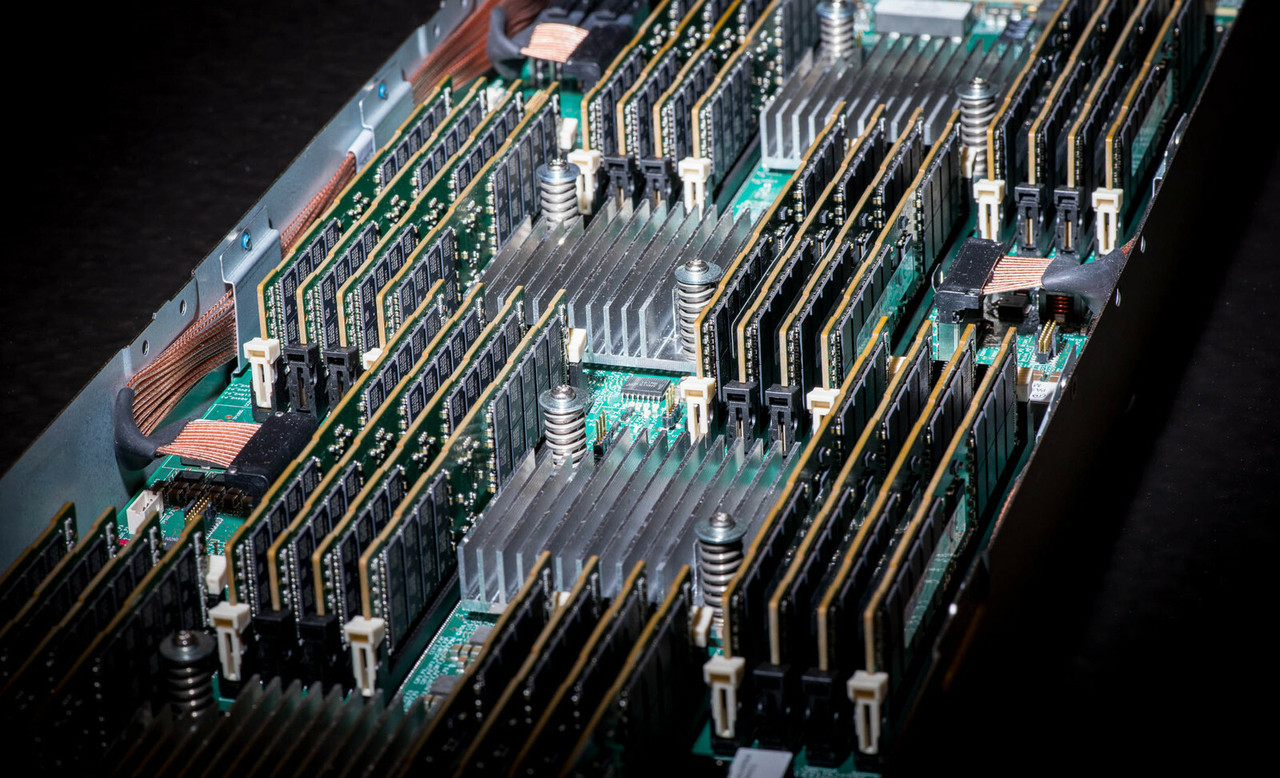
HPE ProLiant BL460c Gen10 Memory
Genuine HPE SmartMemory DDR4 for the HPE ProLiant BL460c Gen10, new and refurbished. The blade carries 16 DIMM slots — eight per processor across six memory channels — and the first thing to settle is Registered against Load Reduced, because HPE treats them as distinct technologies that cannot be mixed in one blade.
BL460c Gen10 Memory Specifications
- Type: HPE SmartMemory DDR4 Registered (RDIMM) or Load Reduced (LRDIMM) at 1.2V; memory from previous generation servers is not supported in this blade
- Slots: 16 in total — six channels per socket carrying one or two DIMMs each, for eight DIMMs per installed processor; with only one processor fitted, half the slots are unavailable
- Maximum registered: 1TB, using sixteen 64GB dual-rank RDIMMs at up to 2933MT/s, which the 64GB kit is listed against second-generation processors to reach; sixteen 32GB RDIMMs give 512GB
- Maximum load reduced: 2TB, using sixteen 128GB octal-rank 3DS LRDIMMs; 64GB quad-rank LRDIMMs reach 1TB
- Speed: set by the processor tier rather than by how full the channels are — 2933MT/s on Platinum 82xx and Gold 62xx, 2666MT/s on Gold 52xx, 2400MT/s on Silver 42xx and 2133MT/s on Bronze 32xx, at one or two DIMMs per channel alike
- Protection: Advanced ECC, memory mirroring and memory online spare (rank spare) mode
On this blade the processor sets the memory clock, not the population. Platinum 82xx and Gold 62xx parts hold 2933MT/s, Gold 52xx 2666, Silver 42xx 2400 and Bronze 32xx 2133 — at one DIMM per channel or two alike. There is no step-down for filling the second slot in a channel, so capacity and speed are not in tension here the way they were on earlier generations.
Registered or Load Reduced for a BL460c Gen10?
| Registered (RDIMM) | Load Reduced (LRDIMM) | |
|---|---|---|
| Documented maximum | 1TB (16 × 64GB) | 2TB (16 × 128GB) |
| Kit sizes stocked | 8GB, 16GB, 32GB, 64GB | 64GB, 128GB |
| Largest module | 64GB dual-rank x4 DDR4-2933 | 128GB octal-rank x4 3DS |
| Mixing with the other type | Not supported | Not supported |
Registered covers everything up to 1TB and is the cheaper module per gigabyte, so most upgrades stop there. Load reduced is the only route past it. Two rules narrow the choice further: the 64GB RDIMM is listed against second-generation Xeon Scalable, so a first-generation blade tops out at 512GB registered, and the 128GB LRDIMM cannot be mixed with any other DIMM capacity in the blade, making it an all-or-nothing fill.
Choosing the Right BL460c Gen10 Memory
- Check which technology is fitted before ordering. RDIMM and LRDIMM cannot be mixed, so converting a blade from one to the other means replacing all sixteen modules, not adding to them.
- The processor sets the clock, not the population. There is no step-down at two DIMMs per channel on this platform: a Bronze 32xx blade runs 2133MT/s with one DIMM fitted or sixteen, and only a different processor tier changes that.
- Mixed speeds are allowed, and they cost you. HPE permits DIMMs of different speeds in any order and the blade then picks one common speed for the whole bank, which is the slowest module's.
- Balance the fill across both processors. HPE recommends loading the channels similarly and does not recommend five or seven DIMMs on a processor at all.
- Every kit here is a single DIMM. Filling all sixteen slots with 32GB modules is sixteen kits, not one boxed set.
Complete Your BL460c Gen10 Build
The processor sets the memory clock and a second one opens the other eight slots — see BL460c Gen10 processors before deciding on capacity. For the rest of the blade, browse BL460c Gen10 drives, storage controllers and networking adapters, or the full BL460c Gen10 parts listing. The adjacent generation is BL460c Gen9 memory. Background reading: understanding memory rank in HPE servers, the importance of memory speed, what CAS latency means and the HPE parts by server model index.
BL460c Gen10 Memory FAQ
What is the maximum memory in a BL460c Gen10?
2TB, using sixteen 128GB octal-rank Load Reduced DIMMs. Registered DIMMs reach 1TB with sixteen 64GB modules on a second-generation Xeon Scalable processor. A single-processor blade reaches half of either figure, because only eight of the sixteen slots are available.
Can I mix RDIMM and LRDIMM in a BL460c Gen10?
No. HPE states that Registered and Load Reduced are distinct memory technologies and cannot be mixed within the server. Whichever is fitted today is what an upgrade has to match.
Will memory from a BL460c Gen9 work in a Gen10?
No. HPE states that memory from previous generation servers is not compatible with the BL460c Gen10, and that HPE SmartMemory is required to get the documented performance and functionality.
How many memory slots does the BL460c Gen10 have?
Sixteen. Each processor socket has six memory channels that take one or two DIMMs each, for eight DIMMs per installed processor. Only eight slots are usable with a single processor fitted.
Why does my BL460c Gen10 memory run at 2400 instead of 2933?
Almost always the processor. The clock is set by the tier: 2933MT/s on Platinum 82xx and Gold 62xx, 2666 on Gold 52xx, 2400 on Silver 42xx and 2133 on Bronze 32xx. Filling both DIMMs in a channel does not slow it down, but a slower module in the mix will, because the blade settles on one common speed.
Can I use 128GB DIMMs in a BL460c Gen10?
Yes, and they are the only way to 2TB. HPE states that 128GB DIMMs cannot be mixed with other DIMM capacities in the blade, so it is a sixteen-module fill rather than a top-up.
✅ Looking for a specific BL460c Gen10 memory module? Browse our full selection below.
Browse all models

Why Global One?
- Trusted by thousands. Over 36,000 customers in 100+ countries trust Global One Technology to deliver mission-critical HP Enterprise hardware - including Fortune 500 businesses, schools, hospitals, and federal, state, and local goverment agencies.
- HPE is our specialty! We only sell genuine HP Enterprise parts.
- EASY ordering process. Purchase online now with credit card or PayPal!
- FAST shipping. Global One Technology ships orders received by 4pm ET the same day and offers NEXT DAY delivery to US customers.



