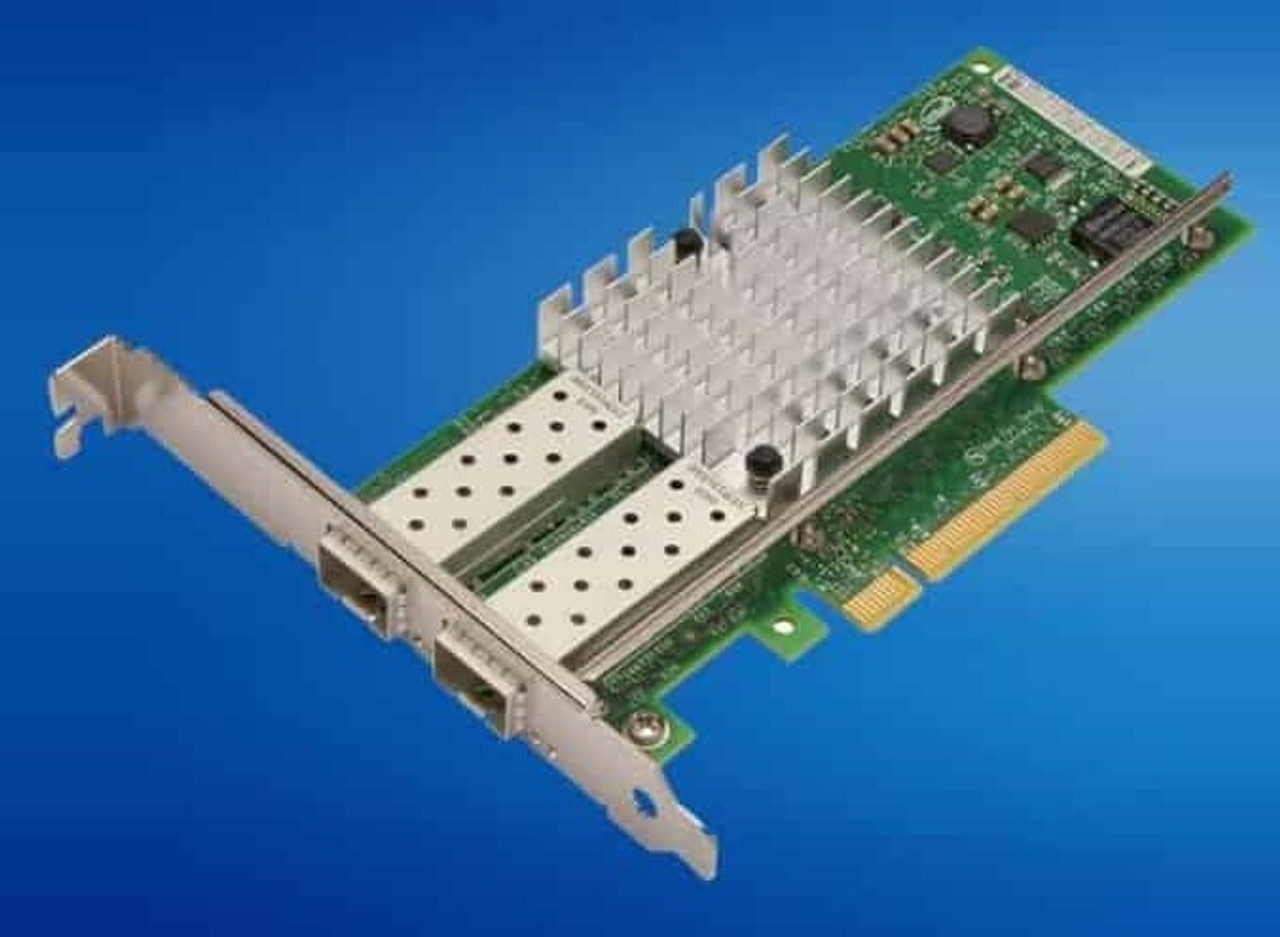
HPE ProLiant DL380 Gen9 Networking Adapters
Genuine HPE network adapters for the HPE ProLiant DL380 Gen9, new and refurbished. Every chassis ships with an embedded 4 x 1GbE 331i adapter, and above it sits a single FlexibleLOM connector — HPE states only one FlexibleLOM can be added, and that it can be changed after the server ships.
DL380 Gen9 Networking Specifications
- Embedded ports: a 4-port 1GbE 331i adapter on a two-lane PCI Express link, plus a separate dedicated 1Gb iLO 4 management port
- FlexibleLOM slot: one connector, taking 1GbE, 10GbE SFP+, 10GBASE-T or 10/25GbE SFP28 adapters without consuming a PCIe slot
- PCIe slots: three standard on the primary riser, all on processor 1 — two full-height half-length slots wired x8 in x16 connectors, and one x8 slot
- More slots: the optional three-slot secondary riser adds x16, x16 and x8 slots on processor 2, so the second processor must be installed to use them
- Memory requirement: HPE requires a minimum of two gigabytes of server memory per 10Gb adapter
- Cabling: direct attach cables for copper, or transceivers and fiber for optical, are bought separately
One FlexibleLOM, three standard PCIe slots. Every chassis carries an embedded 4 x 1GbE 331i adapter, and HPE states only one FlexibleLOM can be added, though it can be changed after the server ships. The three primary-riser slots all sit on processor 1, and both full-height slots are x8 links in x16 connectors — a true x16 card belongs on the optional risers.
Which network adapter fits the DL380 Gen9?
| Speed | Media | FlexibleLOM options | Stand-up PCIe options |
|---|---|---|---|
| 1GbE | RJ-45 BASE-T | 331FLR, 366FLR | 331T, 366T, 361T, 332T |
| 10GbE | SFP+ | 534FLR-SFP+, 546FLR-SFP+, 556FLR-SFP+, 560FLR-SFP+, 562FLR-SFP+ | 530SFP, 546SFP+, 560SFP+, 562SFP+ |
| 10GbE | RJ-45 BASE-T | 533FLR-T, 536FLR-T, 561FLR-T | 530T, 561T |
| 10/25GbE | SFP28 | 640FLR-SFP28 | 640SFP28 |
Read the slot widths before you buy a stand-up card. Both full-height slots on the standard primary riser are x16 connectors carrying only eight PCIe 3.0 lanes, so a card that wants a true x16 link belongs on the optional risers. Putting your primary fabric on the FlexibleLOM sidesteps the question entirely and leaves all three slots free. InfiniBand and Omni-Path host channel adapters are a separate category on this platform and render on the DL380 Gen9 parts page rather than here.
Choosing the Right DL380 Gen9 Network Adapter
- Use the FlexibleLOM first. It costs no PCIe slot and HPE states it is upgradeable and can be changed from the original configuration after the server ships.
- Only one FlexibleLOM fits. A second 10GbE or 25GbE fabric has to be a stand-up PCIe card, and that card needs a slot the second processor may have to unlock.
- Match media to your fabric. BASE-T parts run on existing copper; SFP+ and SFP28 parts need direct attach cables or transceivers, bought separately.
- Budget memory for 10GbE. HPE requires a minimum of two gigabytes of server memory per 10 Gigabit adapter, so plan DIMMs alongside the NIC on a lightly populated server.
- Mixing vendors is fine. The Broadcom, Intel, Emulex, QLogic and Mellanox based adapters listed for this platform are all HPE-qualified.
Complete Your DL380 Gen9 Build
Finish the platform with DL380 Gen9 memory, drives, storage controllers, processors and power supplies. Neighbors: DL360 Gen9 parts, DL380p Gen8 parts and DL380 Gen10 parts. Catalog-wide: HPE parts by server model.
DL380 Gen9 Networking Adapters FAQ
Does the HPE ProLiant DL380 Gen9 have onboard network ports?
Yes. HPE lists an embedded 1Gb Ethernet 4-port 331i adapter on every DL380 Gen9 chassis, connected over a two-lane PCI Express link. The dedicated 1Gb iLO 4 remote management port is separate from those four production ports.
What is a FlexibleLOM and can I change it?
FlexibleLOM is HPE's replaceable network mezzanine. The adapter slides into a dedicated connector instead of a PCIe slot, and HPE states the options are upgradeable and can be changed from the original configuration after the server is shipped. Only one can be added.
How many PCIe slots does the DL380 Gen9 have for network cards?
Three standard, all on the primary riser and all driven by processor 1: two full-height half-length slots wired x8 in x16 connectors, and one x8 slot. An optional three-slot secondary riser adds x16, x16 and x8 on processor 2, which must be installed to use them.
Can the DL380 Gen9 run 25GbE?
Yes. HPE lists the Ethernet 10/25Gb 2-port 640FLR-SFP28 as a FlexibleLOM and the 640SFP28 as a stand-up PCIe adapter. Both need SFP28 direct attach cables or transceivers, which are purchased separately.
Do DL380 Gen9 10GbE adapters include cables or transceivers?
No. HPE states that direct attach cables for copper environments, or fiber transceivers and cables for fiber-optic environments, must be purchased separately. BASE-T adapters such as the 533FLR-T and 561T connect with standard copper patch cables.
Is there a memory requirement for 10GbE adapters?
Yes. The QuickSpecs note a minimum of two gigabytes of server memory per each 10 Gigabit adapter. On a server running one or two DIMMs, add memory before adding a second 10GbE card.
✅ Looking for a specific DL380 Gen9 network adapter? Browse our full selection below.
Browse all models

Why Global One?
- Trusted by thousands. Over 36,000 customers in 100+ countries trust Global One Technology to deliver mission-critical HP Enterprise hardware - including Fortune 500 businesses, schools, hospitals, and federal, state, and local goverment agencies.
- HPE is our specialty! We only sell genuine HP Enterprise parts.
- EASY ordering process. Purchase online now with credit card or PayPal!
- FAST shipping. Global One Technology ships orders received by 4pm ET the same day and offers NEXT DAY delivery to US customers.



