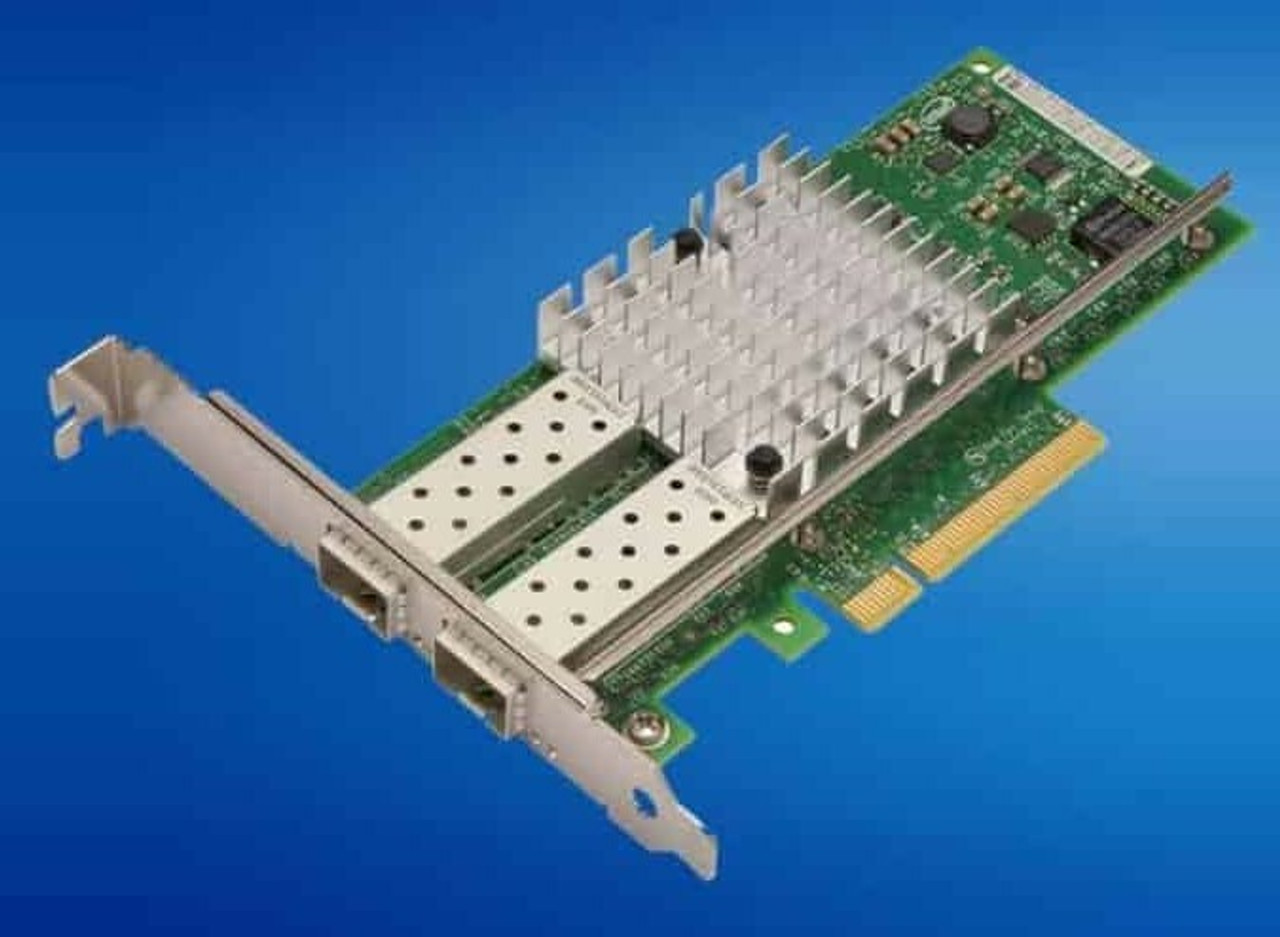
HPE ProLiant BL420c Gen8 Networking Adapters
Genuine HPE FlexibleLOM and mezzanine network adapters for the HPE ProLiant BL420c Gen8, new and refurbished. Blade networking does not use PCIe cards: the blade carries one FlexibleLOM and two mezzanine slots, and every port they provide lands in the enclosure's interconnect module bays rather than on the blade itself.
BL420c Gen8 Networking Specifications
- FlexibleLOM: one required, in its own connector, always dual port, routed to interconnect bays 1 and 2; stocked as the FlexFabric 10Gb 554FLB, Flex-10 10Gb 530FLB, Ethernet 10Gb 560FLB and Ethernet 1Gb 361FLB
- Mezzanine slot 1: x8 PCIe 3.0 Type A, dual-port cards only, routed to interconnect bays 3 and 4
- Mezzanine slot 2: x16 PCIe 3.0 Type B, taking Type A and Type B cards; dual-port cards reach bays 5 and 6 and quad-port cards bays 5 through 8, and the slot needs a processor in socket 2
- Mezzanines stocked: the FlexFabric 10Gb 554M, the Flex-10 10Gb 552M and 530M, and the Ethernet 1Gb 4-port 366M
- Interconnect placement: 10 Gigabit adapters need a 10Gb interconnect in bays 3 to 8 of a c7000, or bays 2 to 4 of a c3000, and a minimum of 2GB of server memory each
- FlexFabric feature set: the 554 family runs an Emulex BE3 controller and adds Flex-10, FCoE, accelerated iSCSI, iSCSI boot and TCP/IP offload
The enclosure decides what an adapter is worth. A 10 Gigabit adapter facing an interconnect module with 1Gb downlinks links at 1Gbps, and both of its ports run at the same speed. A mezzanine card with no interconnect module in its matching bay gives you nothing — check bays 3 to 8 on a c7000, or 2 to 4 on a c3000.
FlexibleLOM or mezzanine card?
| FlexibleLOM | Mezzanine card | |
|---|---|---|
| How many | Exactly one, and the blade requires it | Up to two, both optional |
| Interconnect bays | 1 and 2 | 3 and 4 from slot 1; 5 and 6, or 5 to 8, from slot 2 |
| Second processor needed | No | Only for slot 2 |
| Stocked here | 554FLB, 530FLB, 560FLB, 361FLB | 554M, 552M, 530M, 366M |
The FlexibleLOM is the blade's base networking and every blade has one, so replacing it is how you change what the machine does by default. A mezzanine card earns its slot only when the enclosure has an interconnect module in the matching bay — a 554M in slot 1 with bays 3 and 4 empty gives you nothing. Check the slot too: slot 1 carries dual-port cards, so the quad-port 366M belongs in slot 2.
Choosing the Right BL420c Gen8 Network Adapter
- Match the interconnect, not just the blade. A 10 Gigabit adapter facing an interconnect module with 1Gb downlinks links at 1Gbps, and both of its ports run at the same speed.
- Mezzanine slot 2 is dark without a second processor. That makes a single-processor blade a one-mezzanine machine, and it is why a P721m storage mezzanine will not work in one.
- A FlexibleLOM from an older blade will not carry over. HPE states that FlexibleLOMs are not compatible with prior generation c-Class server blades.
- FCoE is an enclosure feature as much as an adapter one. FlexFabric capability needs a Virtual Connect FlexFabric module behind it; the 1Gb 361FLB and 366M carry a plain Intel Ethernet feature set.
Complete Your BL420c Gen8 Build
Ten Gigabit adapters call for memory headroom and the second mezzanine slot calls for a second CPU — see BL420c Gen8 memory and processors alongside this page. Also available: BL420c Gen8 drives and storage controllers, which compete for the same mezzanine slot, or the full BL420c Gen8 parts listing, which carries the Fibre Channel and InfiniBand mezzanines. The E5-2600 blade of this generation is the BL460c Gen8, indexed with every model under HPE parts by server model.
BL420c Gen8 Networking Adapters FAQ
Does the BL420c Gen8 have onboard network ports?
It has a FlexibleLOM rather than a fixed LAN-on-motherboard. The blade requires one, it is always dual port, and its two ports are routed to interconnect module bays 1 and 2.
What is the difference between a FlexibleLOM and a mezzanine card?
The FlexibleLOM sits in its own connector, is mandatory, and reaches interconnect bays 1 and 2. Mezzanine cards go in the two expansion slots and reach bays 3 and 4 from slot 1, or bays 5 through 8 from slot 2.
Can I use a standard PCIe network card in a BL420c Gen8?
No. The blade has no standard PCIe card slots. Network expansion is through the FlexibleLOM connector and the two c-Class mezzanine slots.
Why is my second mezzanine slot not working?
A processor must be installed in processor slot 2 for expansion slot 2 to be accessible. On a single-processor blade only the first mezzanine slot is available.
Which slot does the 4-port 366M adapter go in?
Mezzanine slot 2. Slot 1 is an x8 Type A slot carrying dual-port cards to bays 3 and 4; slot 2 is the x16 Type B slot that routes a quad-port card to bays 5 through 8.
Do 10GbE adapters need extra memory?
HPE documents a minimum of 2GB of server memory for each 10 Gigabit Ethernet adapter installed, so a blade with two of them assumes headroom in the memory configuration.
✅ Looking for a specific BL420c Gen8 network adapter? Browse our full selection below.
Browse all models

Why Global One?
- Trusted by thousands. Over 36,000 customers in 100+ countries trust Global One Technology to deliver mission-critical HP Enterprise hardware - including Fortune 500 businesses, schools, hospitals, and federal, state, and local goverment agencies.
- HPE is our specialty! We only sell genuine HP Enterprise parts.
- EASY ordering process. Purchase online now with credit card or PayPal!
- FAST shipping. Global One Technology ships orders received by 4pm ET the same day and offers NEXT DAY delivery to US customers.



